Use the Active filter to see leagues currently in session, or Completed to find past ones. If a league still doesn't appear, confirm you're signed in with the same account you used to register.
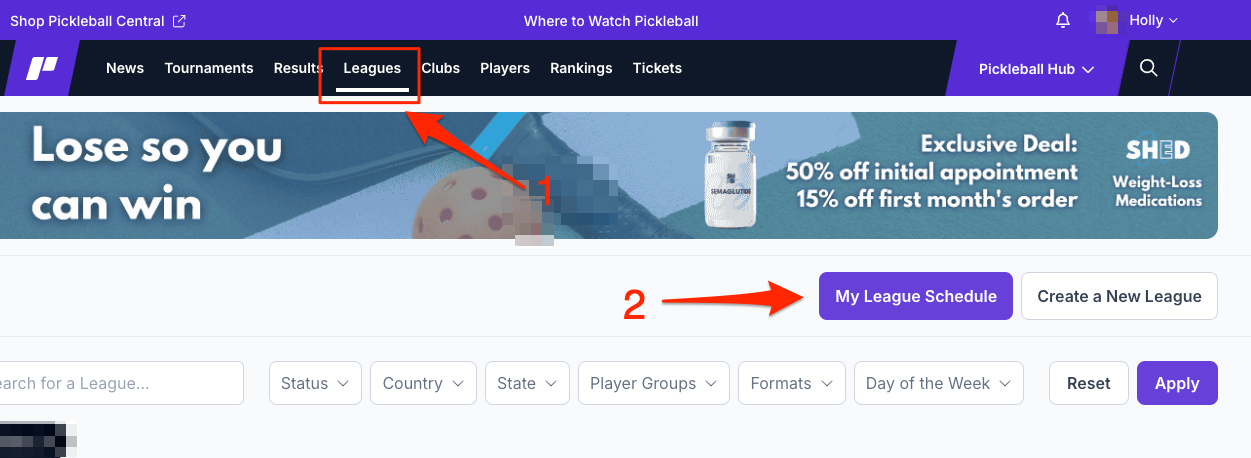
There are two ways to find leagues you're registered for on Pickleball.com — from the main navigation bar or from your user menu. Both paths take you to the same place.
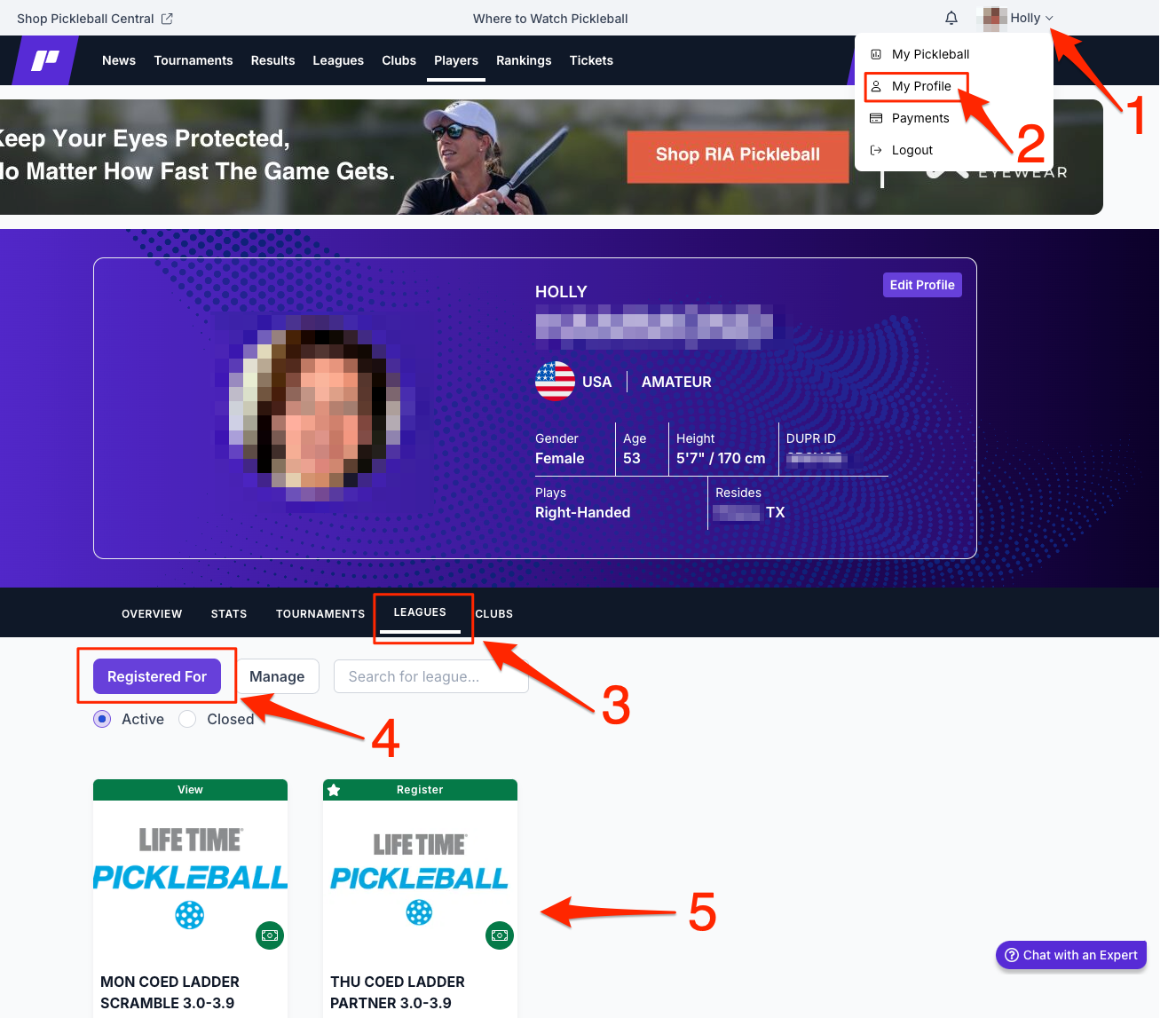
Use the Active filter to see leagues currently in session, or Completed to find past ones. If a league still doesn't appear, confirm you're signed in with the same account you used to register.
From the My League Schedule view, click on any upcoming game day to see your schedule, opt in status, and match details for that day.
Questions about finding your leagues? Email [email protected].