How to Create Team League Division
Create Division
- From the left-hand navigation menu, click Divisions.
- Select + Create division to begin creating a new division.

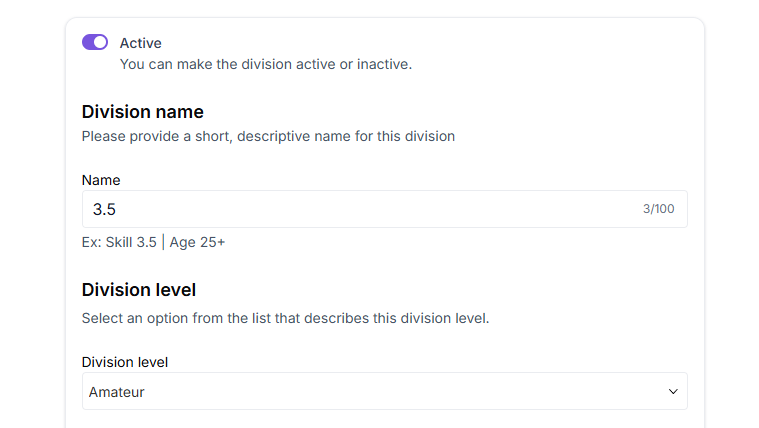
- Change the division status from Inactive to Active.
- Enter the Division name.
- Choose the appropriate Division level.
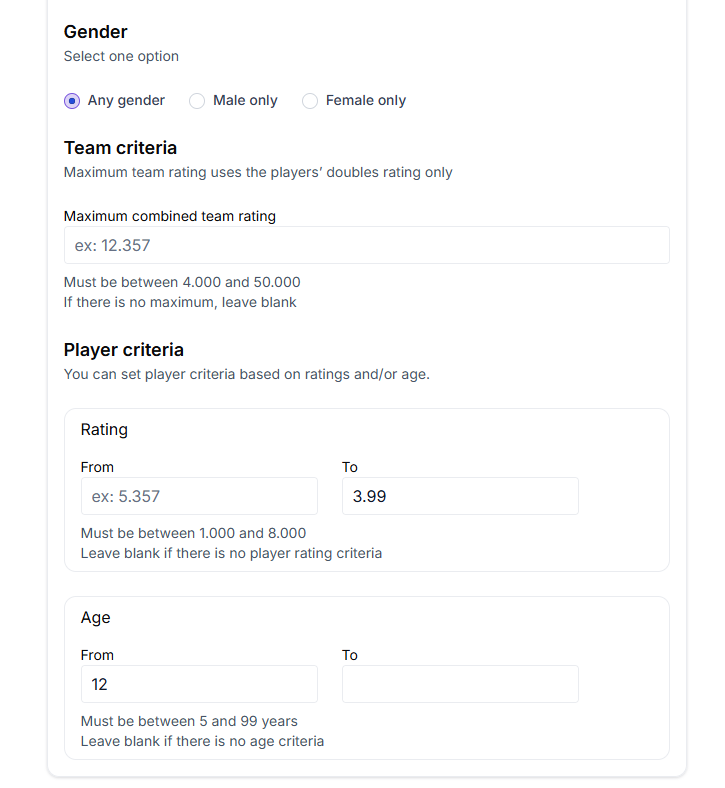
- Set Gender based on the division type.
- Set Team criteria based on maximum combined team rating.
- Set Player criteria. Enter the minimum & maximum ratings for the division. Leave minimum rating blank if there is no minimum requirement. Example: for a 3.5 division, set the maximum rating to 3.99.
- Set the Age range. Leave blank if there is no age limit.