How to Create and Apply a Discount Code
Pickleball Tournaments (PT) lets you create discount codes so registrants can get a set dollar or percentage off their registration cost. This guide covers how to create a code and how registrants apply it at checkout.
Create a Discount Code
- In your tournament's 3-line menu, select Edit Tourney, then select Discount Codes in the menu on the left.
- Click Add New Discount Code.
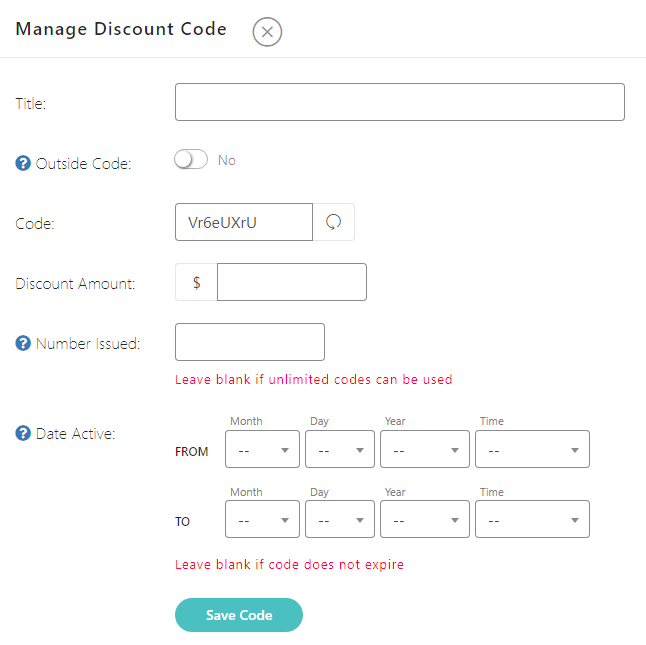
- Add the code details — you can write your own code or let the system auto-generate one.
- If you want to limit how many times the code can be used or the dates it's valid, set those in the Number Issued and Date Active fields.
- Click Save.
Apply a Discount Code at Checkout
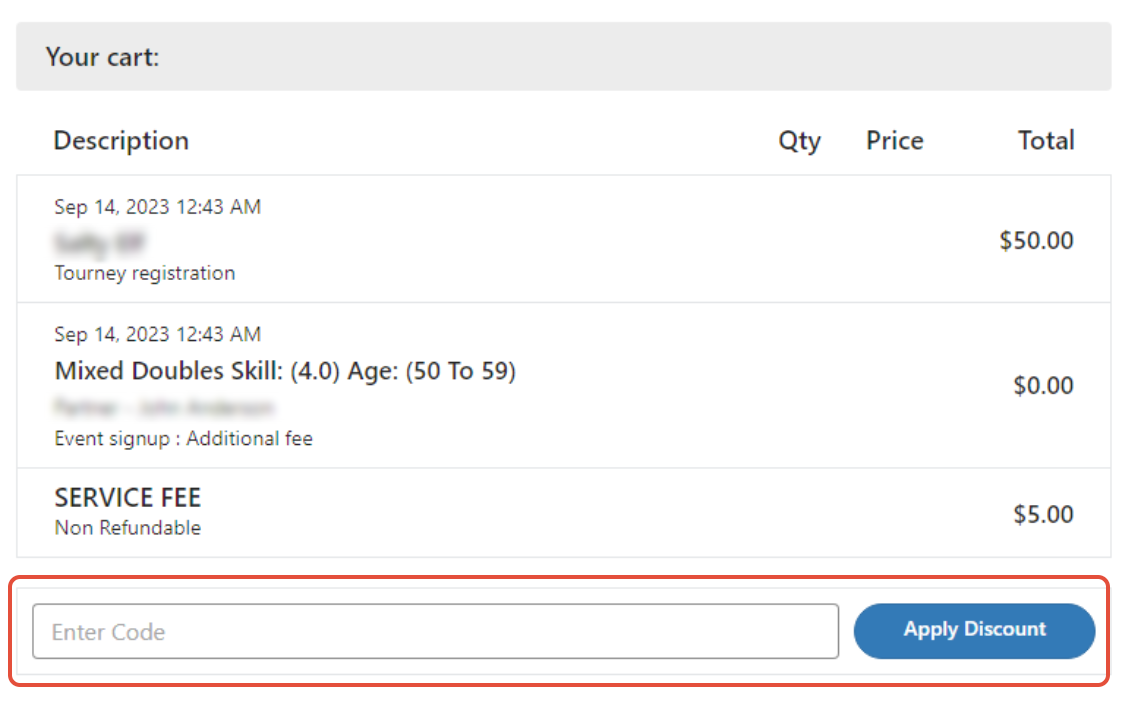
Once created, share the code with whoever you want to use it. Registrants enter the code after registering for events but before completing payment:
Frequently Asked Questions
How do I keep the discount code box from showing at checkout?
There's no separate on/off switch for the discount code box. Whether it appears is determined by whether your tournament currently has at least one usable discount code — active, not disabled, within its date range, and not fully redeemed — and the registrant still owes a balance. To hide the box, delete, disable, or expire all of your event's codes under Edit Tourney → Discount Codes. Note that the "Max number of codes a person can use" setting only limits stacking multiple codes together — it doesn't control whether the box itself is visible. If you're viewing the legacy checkout, the box may still appear to anyone with admin, TD, or coordinator access even when no valid codes exist for that event.
Can I edit or deactivate a discount code after creating it?
Yes — open the code from your Discount Codes list to update its details, or delete it to deactivate it immediately.
Is there a limit to how many discount codes I can create for one tournament?
No — you can create as many discount codes as you need for a single tournament, each with its own usage limit and date range.
Related Articles
Questions about discount codes? Email support@pickleball.com.