Use the Current & Future filter to see upcoming tournaments, or the Past filter to find completed ones. If a tournament still doesn't appear, confirm you're signed in with the same account you used to register.
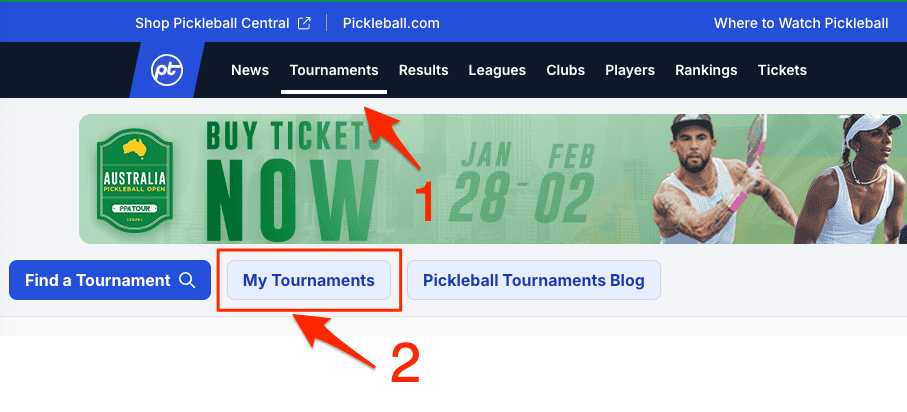
There are three ways to find tournaments you're registered for on Pickleball.com — from the main navigation bar, from your user menu, or from your profile page. All three take you to your registered tournaments.
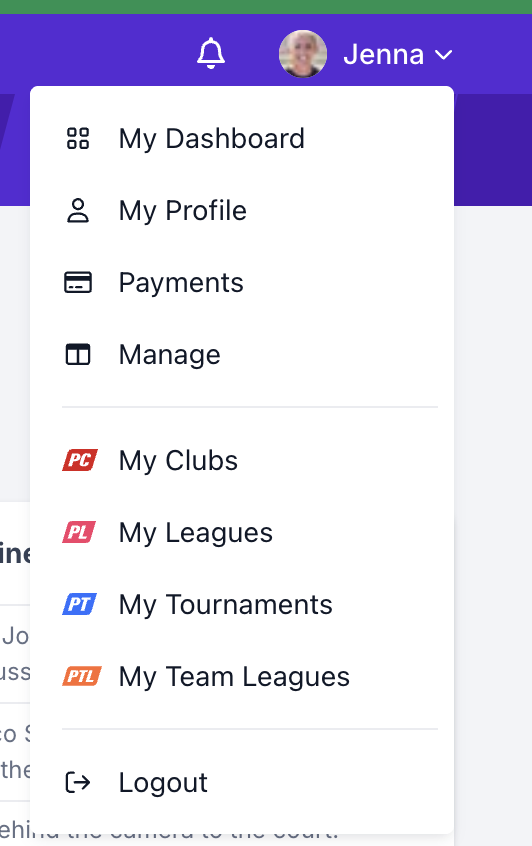
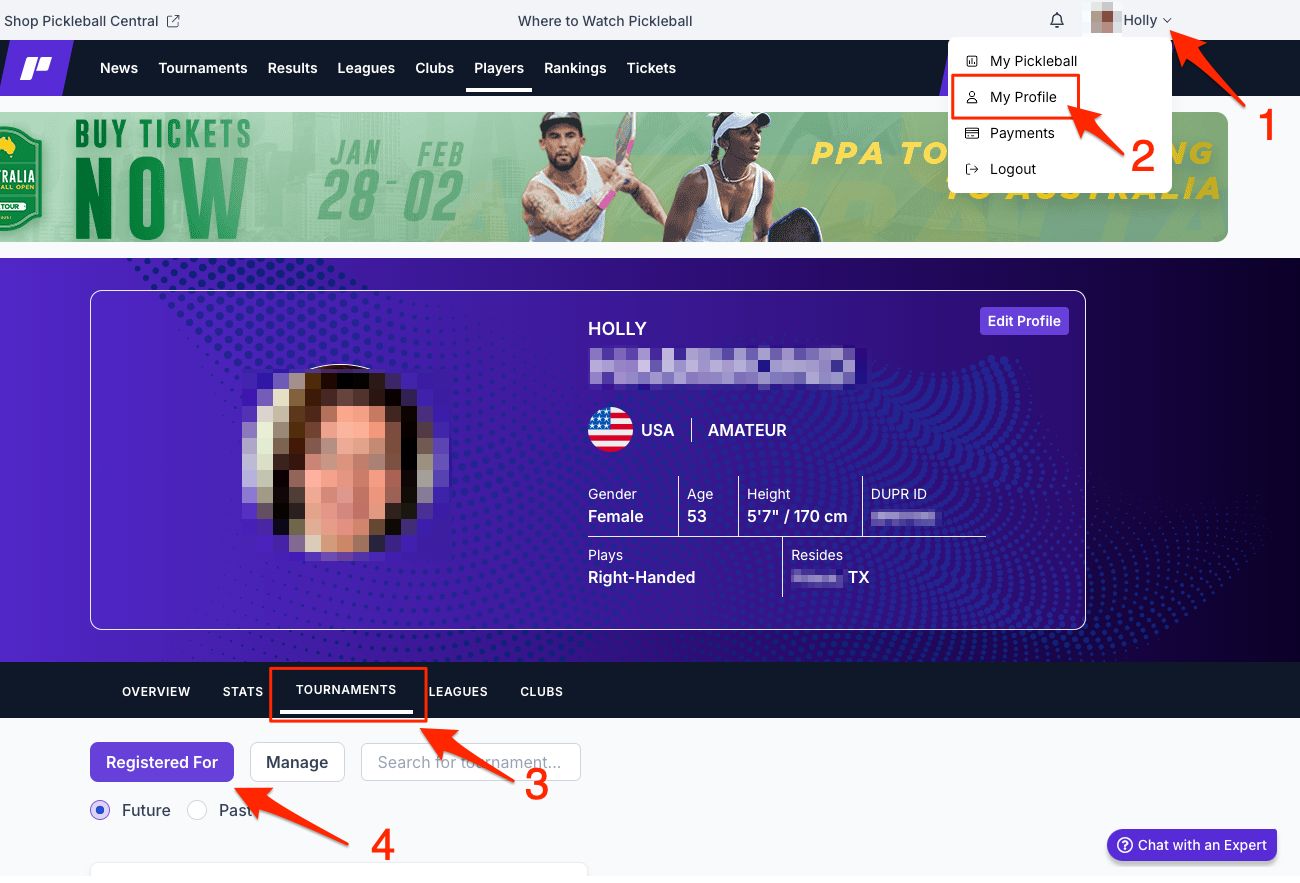
Use the Current & Future filter to see upcoming tournaments, or the Past filter to find completed ones. If a tournament still doesn't appear, confirm you're signed in with the same account you used to register.
In My Tournaments, switch to the Managing tab to see tournaments you're directing. The Registered For tab shows tournaments you entered as a player.
Questions about finding your tournaments? Email support@pickleball.com.