How to Use Premade Templates to Create a Tournament in PT
When creating a new tournament in Pickleball Tournaments (PT), you can choose a premade template instead of configuring every setting from scratch. Templates pre-fill common formats, event structures, and settings based on tournament type — so you can get to the details that actually differ for your event faster.
Before you begin
- You must have a Pickleball.com Play Provider account with at least one club set up. See Getting Started as a Pickleball Play Provider: The Complete Orientation Guide.
- You'll need your Stripe account connected to your club before you can collect registration payments. See How Tournament Billing Works in PT.
What templates do
PT's premade templates are global starting points built around common tournament formats — round robin, single elimination, double elimination, and others. When you select a template, PT pre-fills your tournament's event structure, bracket format, and related defaults. You still configure your specific details (dates, pricing, venue, contacts), but the structural decisions are already made.
NoteTemplates are not permanent. If your needs change after setup — for example, your bracket grows larger or you want to add a playoff round — you can adjust individual events at any time from your tournament dashboard.
Step 1: Start tournament creation and select a template
- Go to PickleballTournaments.com and sign in to your account.
- From your club dashboard, click Create a Tournament.
- Select the club that will host the tournament from the dropdown.
- Enter your tournament title.
- When prompted to choose a starting point, select Blank Tournament (not "Advertise Only"). This is where template selection becomes available.
- Review the available global templates and select the one that best matches your planned format (e.g., round robin, single elimination).
Step 2: Review and complete your tournament setup
After selecting a template, PT loads your tournament dashboard with the pre-filled structure in place. From here, work through each setup section to add your specific details. The template handles the format — you handle the rest:
- Basic info — tournament dates, location, description, and public visibility date. See How to Configure Basic Tournament Info in PT.
- Registration settings — open/close dates, player requirements, event limits. See How to Configure Tournament Registration Settings in PT.
- Communication and contacts — text messaging, email preferences, primary contact. See How to Configure Tournament Communication and Contacts in PT.
- Pricing and payments — registration fees, events included, Stripe connection. See How to Set Up Registration Costs and Checkout Options.
- Logo, waiver, and flyer — upload tournament materials to present your event professionally.
- Managers — assign team members and their roles. See How to Add a Manager to Your Tournament.
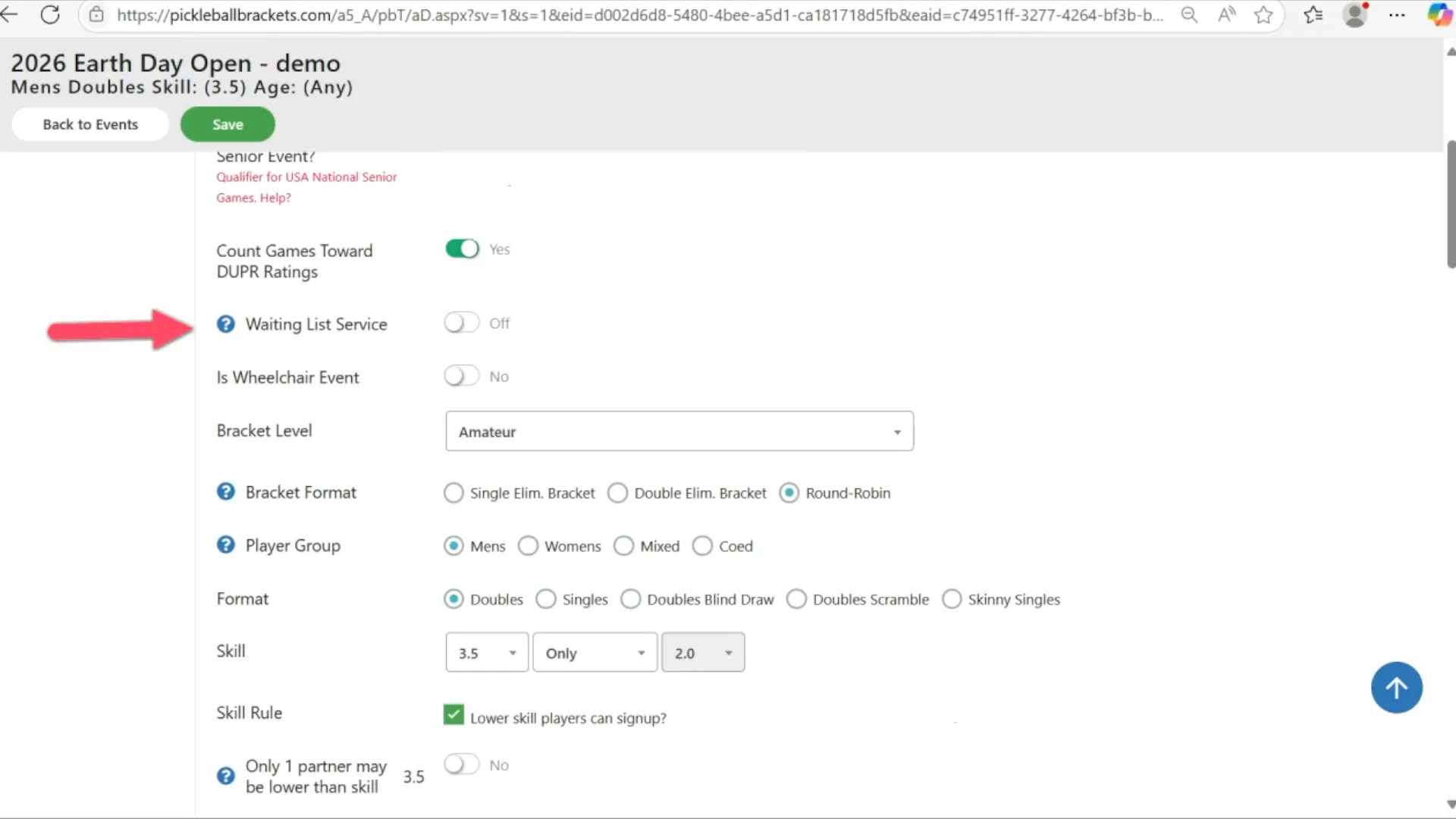
- Events — review the pre-filled events from your template. Adjust formats, set age minimums, configure waitlists, and add any event-specific fees as needed.
Step 3: Pay the setup fee and open registration
- Use the preview link on your dashboard to see how your tournament page appears to players before going live.
- Pay the tournament setup fee from your dashboard.
- Set your Show Public Date so the tournament becomes visible on PickleballTournaments.com.
- Confirm your registration open date is correct — players can begin registering once that date passes.
If the setup fee is not paid, your tournament will be automatically deleted after 5 days. Pay the fee as soon as your settings are finalized to avoid losing your work.
Frequently asked questions
Can I change the template format after I've started setup?
You can't swap the template itself after creation, but you can edit individual events at any time from the Events section of your dashboard. Change the bracket format, add or remove events, or adjust settings per event — the template is just a starting point, not a lock.
What's the difference between a template and starting from scratch?
Starting from scratch gives you a blank tournament with no pre-filled events or format settings — every field starts empty. A template pre-fills the event structure and bracket format based on a common tournament type, so you only need to fill in the details specific to your event. Both paths end up at the same setup dashboard; templates just reduce the initial configuration work.
Do I still need to add events manually if I use a template?
No — templates include pre-populated events based on the format you selected. You'll still want to review each event, confirm dates, adjust skill levels or age splits if needed, and set any event-specific fees. But you won't be creating events from scratch.
Related articles
- Quick Start: How to Set Up a Tournament in PT — full end-to-end setup overview
- How to Configure Basic Tournament Info in PT
- How to Configure Tournament Registration Settings in PT
- How to Configure Tournament Communication and Contacts in PT
- How to Set Up Registration Costs
- Checkout Options
- How to Add a Manager to Your Tournament
Need more help? Email us at support@pickleball.com.