How to Print QR Codes for Your Tournament in PT
Every tournament on PT has a set of printable QR codes you can use on tournament day to direct players to specific pages — your registration page, bracket, schedule, results, and more. Print these and post them around your venue so players can quickly find what they need on their phones without tracking down staff.
How to access and print your tournament QR codes
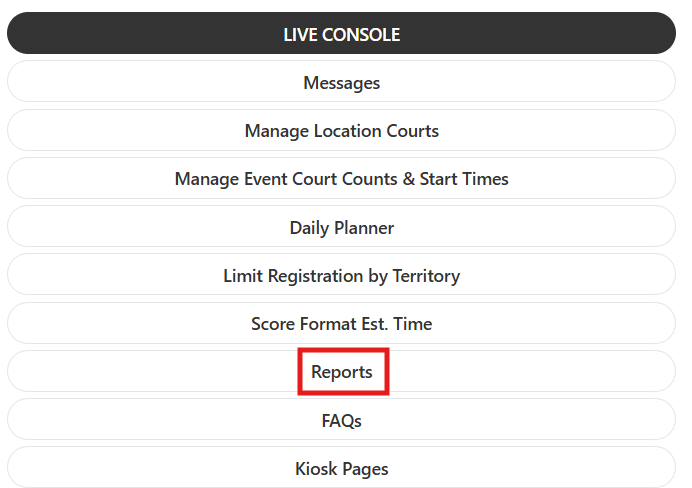
- From your tournament, open the 3-line menu and select the Reports tab.
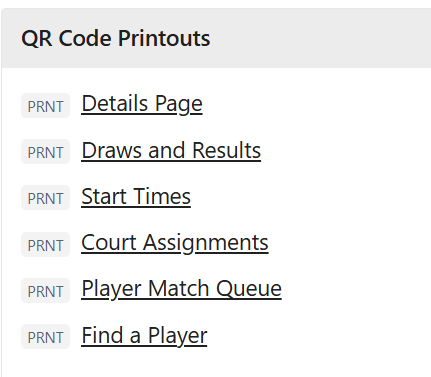
- Scroll down to the QR Code Printout section.
- Click on the QR code for the area of your tournament listing you want to direct players to.
- A printable version will load. Print it and post it at your venue in a visible location.
Frequently asked questions
Can I print QR codes for different parts of my tournament?
You can print a separate QR code for each area of your tournament listing — registration, brackets, schedule, results, and more. Print whichever ones are most useful for your players on tournament day.
Where should I post the QR codes at my venue?
Post them at your check-in desk, near courts, and at the tournament operations desk. High-traffic areas where players congregate before their matches are the most effective spots.
Related articles
- Tournament Desk Day of Operations — Recommended Setup and Location
- How to Use the Kiosk to Check In Players in PT
Questions about QR codes? Email support@pickleball.com.