How to Enter Scores for Team League Game Days
As a team captain in Pickleball Team Leagues (PTL), you're responsible for entering match scores on game day, handling special outcomes like forfeits and retirements, managing tiebreakers, and completing the matchup to lock standings. This guide walks through each step.
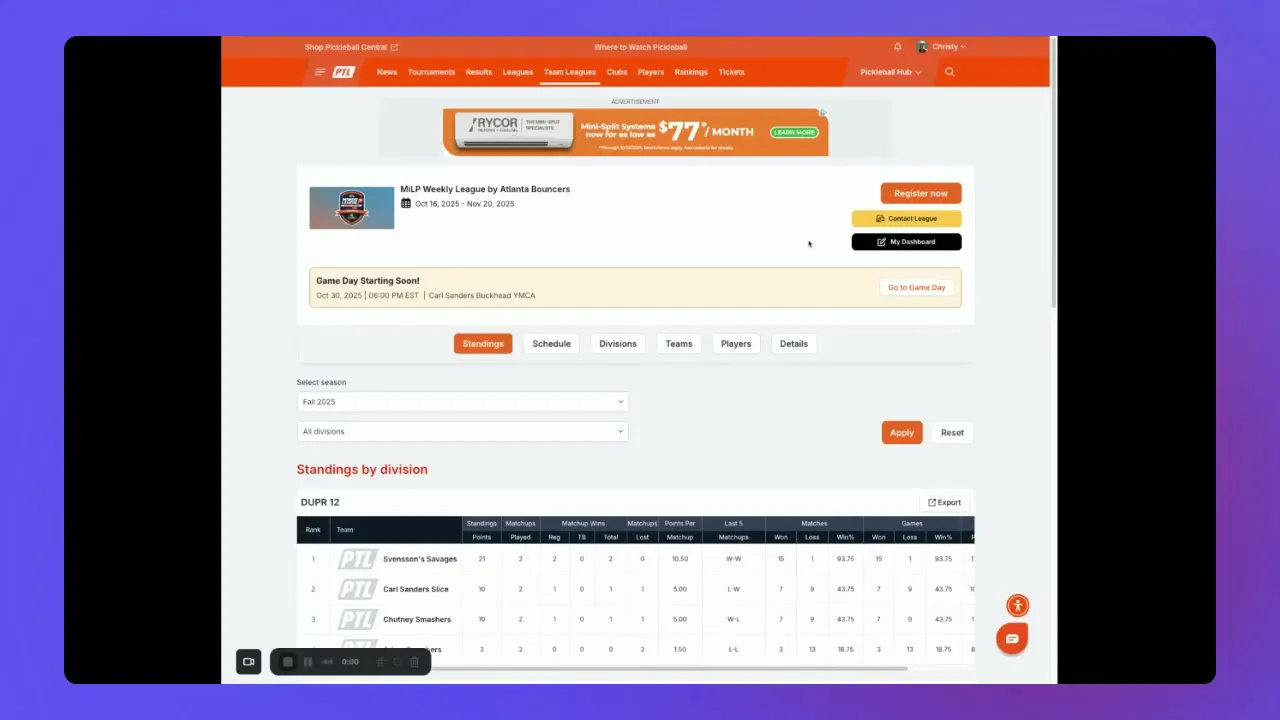
How to open your game day matchup
- From the team league dashboard, click Go to Game Day to see all scheduled matchups for that day.
- Find your team in the list and click Go to Matchup to open the scorecards for your team versus the opponent.
How to enter match scores
- Open the scorecard for the match you want to update by clicking on it.
- A pop-up window appears — type the final score and click Save.
- Once saved, the winning team displays a green trophy icon next to their name.
- Repeat for each match in the matchup.
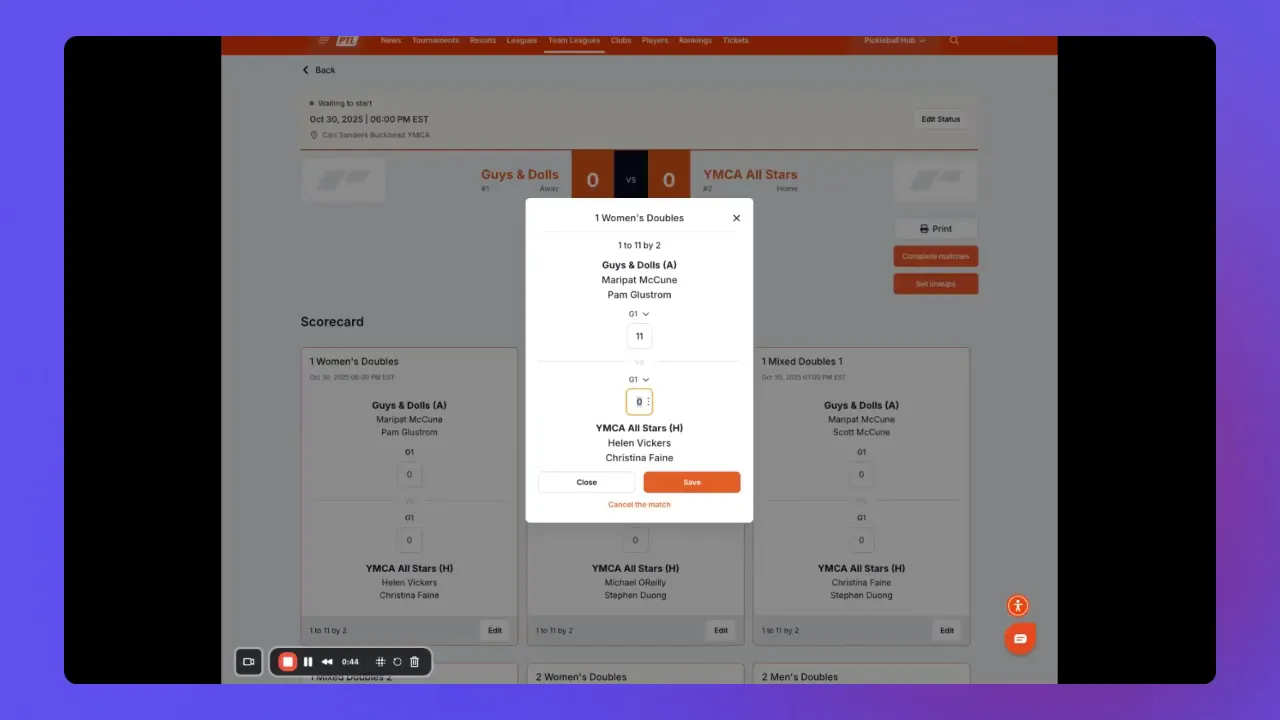
If you make a mistake after saving, reopen the same scorecard, correct the numbers, and save again. You can edit scores as long as the match has not been finalized.
Retirements, forfeits, and withdrawals
Each scorecard includes a dropdown menu for special outcomes. Select the appropriate status — Retirement, Forfeit, or Withdrawal — when applicable and save the card.
WarningDo not cancel a match to correct a score entry error. Instead, zero out the scores and save. Cancelling removes the match from the schedule entirely and requires league commissioner intervention to reinstate. Only cancel a match if it was entirely called off and will not be replayed.
How to complete matches and lock standings
When all matches for the game day are entered and correct, the overall team score appears at the top of the matchup page. Click Complete Matches to lock in those scores and update league standings. This finalizes the results for that game day.
Handling tiebreakers
If teams split their scheduled matches evenly, a tiebreaker determines the game day winner. After the main matches are marked complete, a Go-To Tiebreaker link appears — click it to open the tiebreaker scorecard.
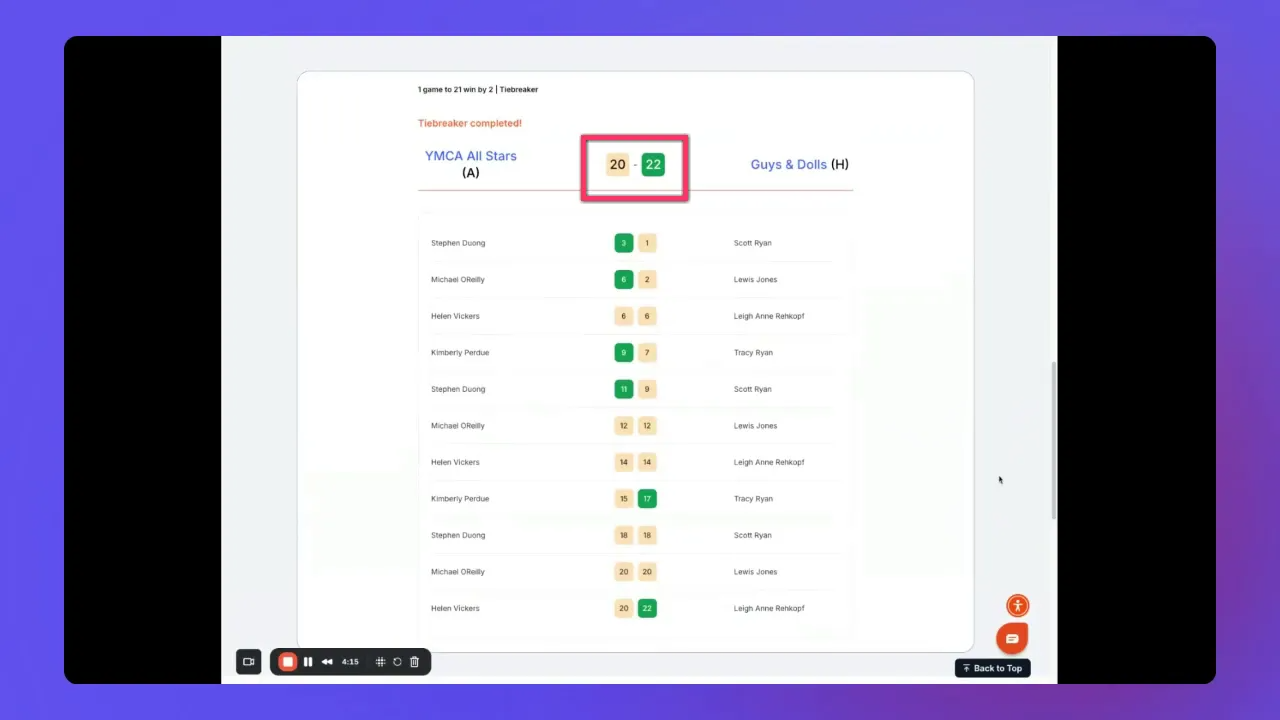
Tiebreaker scoring is cumulative — enter the running team total as it increases, not individual player points. Players rotate every four points, so cumulative totals align with that structure.
- Scoring is cumulative — record the team total as the match progresses, not individual player points
- Players rotate every four points; cumulative totals reflect that structure
- Play continues until one team reaches 21 points and leads by at least two points
- Games can exceed 21 until the two-point margin is met (e.g., 22-20)
After entering the final tiebreaker total, click Complete Match on the tiebreaker scorecard to finalize. Once all matches including tiebreakers are complete, your game day is closed and standings update.
Frequently asked questions
I entered the wrong score — how do I fix it?
Reopen the specific scorecard, update the values, and save again. Do not cancel the match. Cancellation removes it from the schedule and requires commissioner action to reinstate.
How do I record a forfeit or retirement?
Use the dropdown menu on the scorecard to select Retirement, Forfeit, or Withdrawal. Do not manipulate scores to reflect these outcomes.
How does tiebreaker scoring work?
Enter the team's cumulative running total — not individual player scores. Because players rotate every four points, totals increase in multiples of four at rotation points. Play continues until one team reaches 21 and leads by two.
A match was accidentally cancelled — what now?
Contact your league commissioner. Only they can reinstate a cancelled match.
Related articles
- Understanding the Captain Dashboard
- Team Captains: Adding Players to Your Team League
- Pickleball Team Leagues FAQ
Questions about entering scores? Email support@pickleball.com.