Yes. You can change the Show to Public Date, title, short URL, privacy settings, and all other Basic Info fields at any time before or after registration opens. Changes take effect immediately.
To configure your tournament's basic information in Pickleball Tournaments (PT), go to Edit Tourney and select the Basic Info tab. This is where you set your tournament name, public visibility, short URL, timezone, privacy settings, and registration limits.
At the top of the Basic Info tab you'll see the Fee Plan section. This is informational — it shows the fees that apply to your tournament and cannot be edited here. For tournaments that opened for registration on or after August 3, 2026, the current fee plan applies (see Tournament Pricing and Fees in PT for full details):
Tournaments that opened for registration before August 3, 2026 remain on the legacy fee plan. See Legacy Tournament Fee Plan in PT for those details.

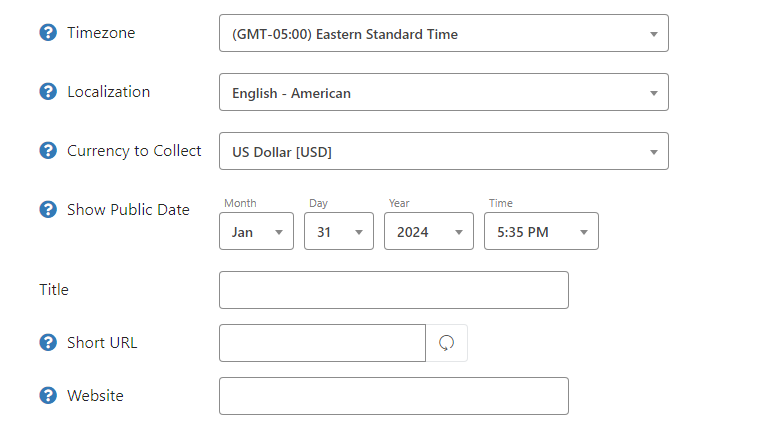
Always confirm your timezone before opening registration. If your timezone is set incorrectly, all start times and registration deadlines will display incorrectly to players.
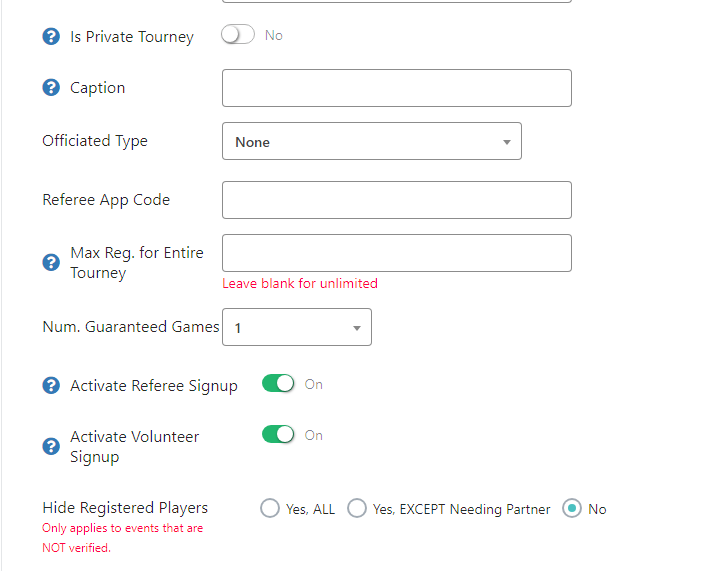
By default, your tournament is publicly visible to all players on Pickleball.com. To restrict registration to specific players only:
 Note
NoteIf you want to control registration capacity by skill division or event format, manage capacity at the event level rather than using Max Reg. for Entire Tourney. Event-level caps give you more precise control.
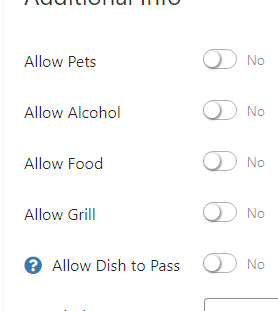
At the bottom of Basic Info, toggle yes for any amenities available at your tournament venue. These display on your public tournament listing so players know what to expect on event day.
The text boxes at the bottom of Basic Info appear on your public tournament listing directly below your logo. Use these to share anything players need to know before registering — venue details, parking instructions, schedule overview, or special rules.
Yes. You can change the Show to Public Date, title, short URL, privacy settings, and all other Basic Info fields at any time before or after registration opens. Changes take effect immediately.
Leave Max Reg. for Entire Tourney blank and manage capacity at the individual event level instead. Each event has its own capacity setting that gives you more precise control by skill division and format.
Toggle Private Tournament to On and create a registration code. Only players who have the code can complete registration. You can change or disable the code at any time from the Basic Info tab.
Need more help? Email us at support@pickleball.com.