How to Register for a Team Event in PT
Registering for a team event inside a Pickleball Tournament (PT) works slightly differently depending on how your team captain set things up. This article covers all three scenarios — captain-registered, join code, and free agent — so you can complete your registration regardless of your situation.
Scenario 1 — Your captain already registered you
If your captain added you to the team, you should have received an email from the tournament with a direct registration link.
- Open the email you received from the tournament.
- Click the link in the email to go directly to the tournament page.
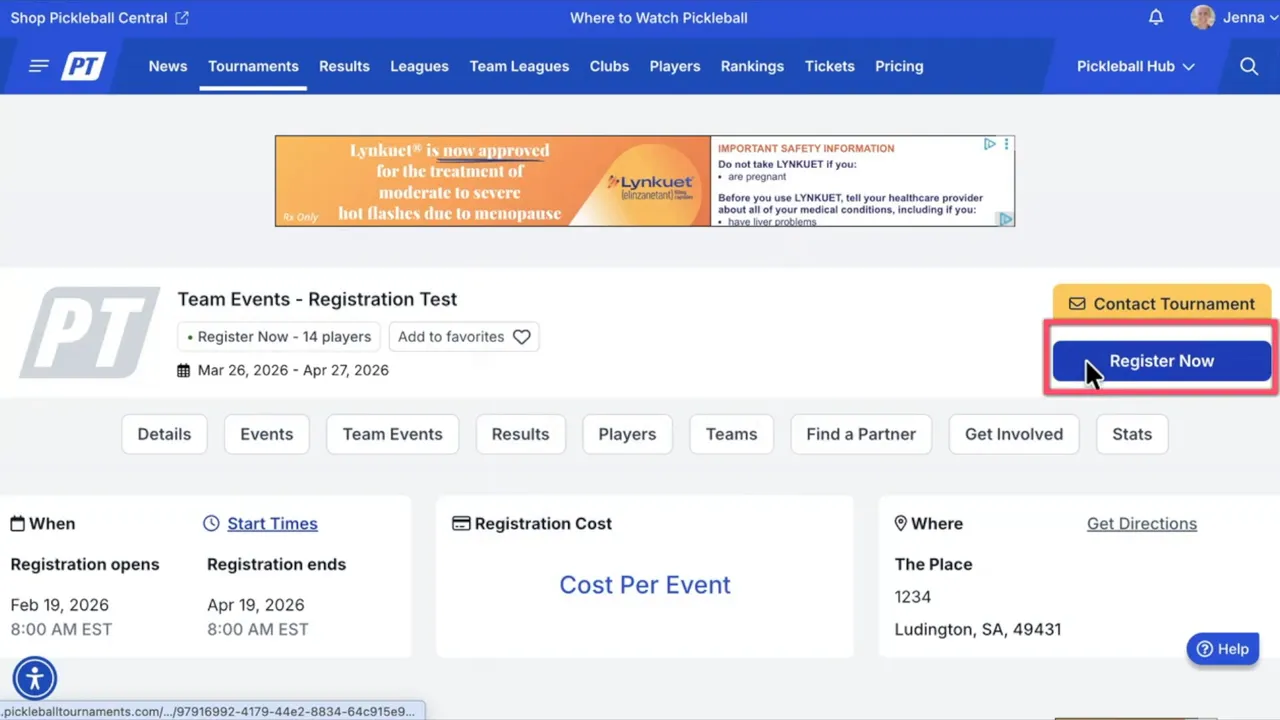
- Click Register Now.
- Scroll down and select the team event you were added to.
- Click Next.
- Wait for your team to load, then click Join next to your team name.
- Sign the waiver and finalize the transaction to complete registration.
Scenario 2 — You were given a join code
If your captain gave you a join code instead of sending a direct registration link, use this path.
- Go to the tournament page and click Register Now.
- When prompted, select Team Event only.
- Choose the team event using the toggle switch and click Next.
- In the Join a Team section, click Join.
- Enter your join code and complete registration.
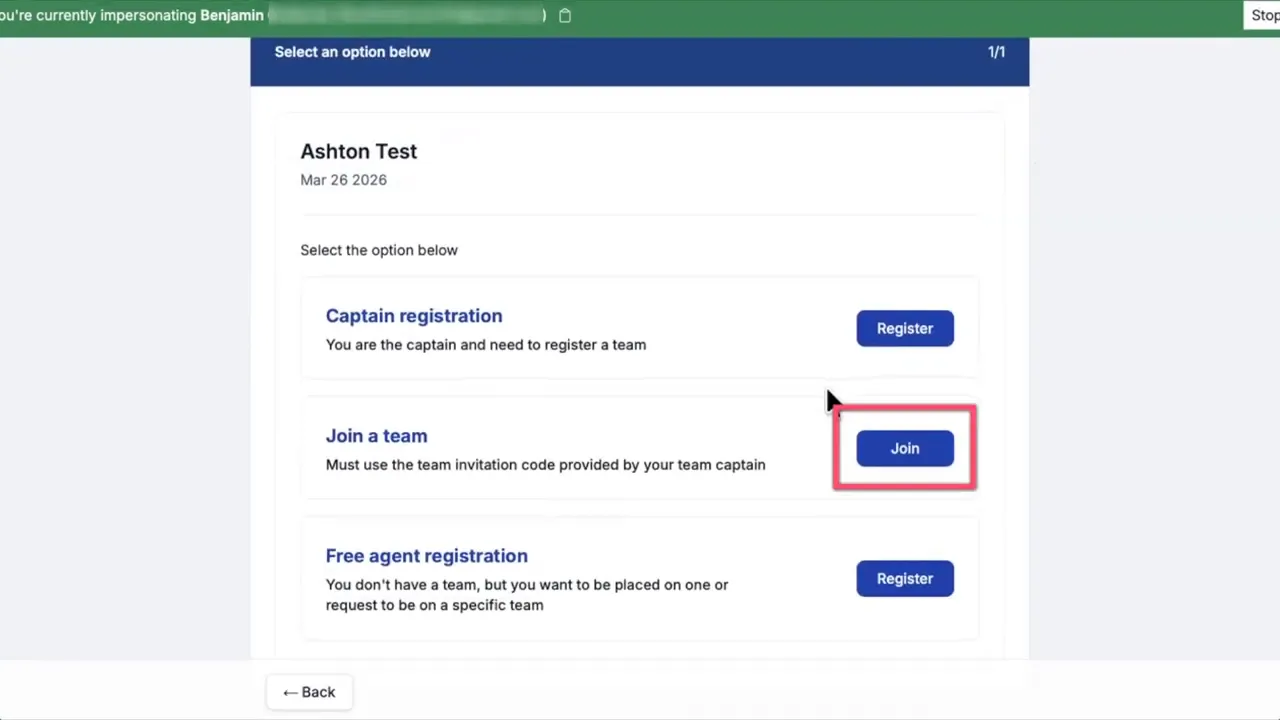
Join codes come directly from team captains. If the system asks for a join code and you don't have one, contact your captain first before reaching out to the tournament.
Scenario 3 — Registering as a free agent
Some tournaments allow players to register as a free agent — meaning you sign up individually and hope to be picked up by a team. This option is only available if the tournament director has enabled it.
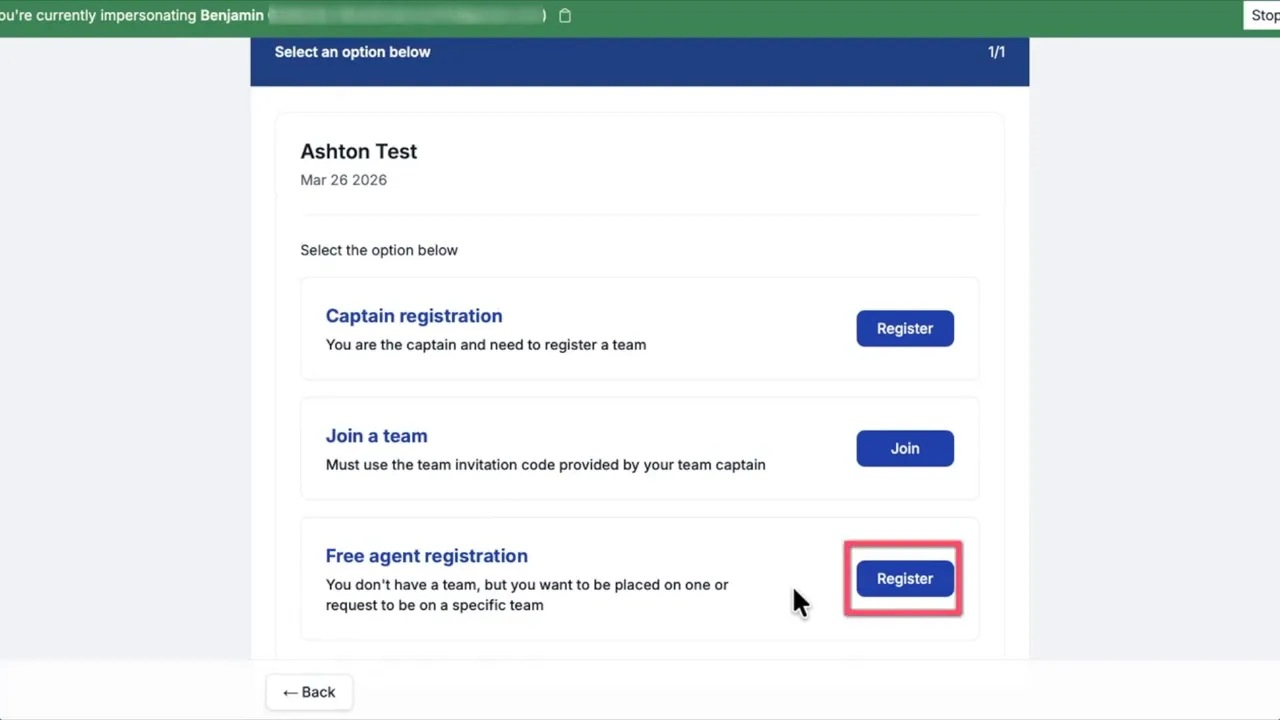
- On the registration screen, look for the Free Agent section.
- Click Register within that section.
- Complete the registration process.
Quick checklist
- Got a registration email? Use the link in it to go straight to the tournament page.
- Got a join code? Use it in the Join a Team section.
- No join code? Contact your captain — don't contact the tournament yet.
- Want to try free agent? Only available if the tournament director has enabled it.
- Always complete the waiver and finalize the transaction to finish.
Frequently asked questions
I don't have a join code and the system is asking for one — what should I do?
Contact your team captain first. Join codes are issued by captains, not the tournament. If your captain can't help, then contact the tournament director.
I didn't receive a registration email from the tournament — what should I do?
Check your spam or junk folder. The email comes from the tournament, not from Pickleball.com. If you still can't find it, contact your team captain to resend the invitation or provide a join code.
I don't see a free agent option — why?
Free agent registration is only available when the tournament director enables it. If you don't see the option, it hasn't been turned on for that tournament. Contact the tournament director to ask about availability.
Related articles
- How to Find My Tournaments on Pickleball.com
- How to Request or Check the Status of a Tournament Refund
Questions about team event registration? Email support@pickleball.com.