How to Find My Tournaments on Pickleball.com
There are three ways to find tournaments you're registered for on Pickleball.com — from the main navigation bar, from your user menu, or from your profile page. All three take you to your registered tournaments.
Option 1 — From the main navigation bar
- Log in to Pickleball.com.
- Click the Tournaments tab in the top navigation bar.
- Click My Tournaments.
- Click the Registered For button.
- Click the tournament you want to access.

Option 2 — From your user menu
- Log in to Pickleball.com.
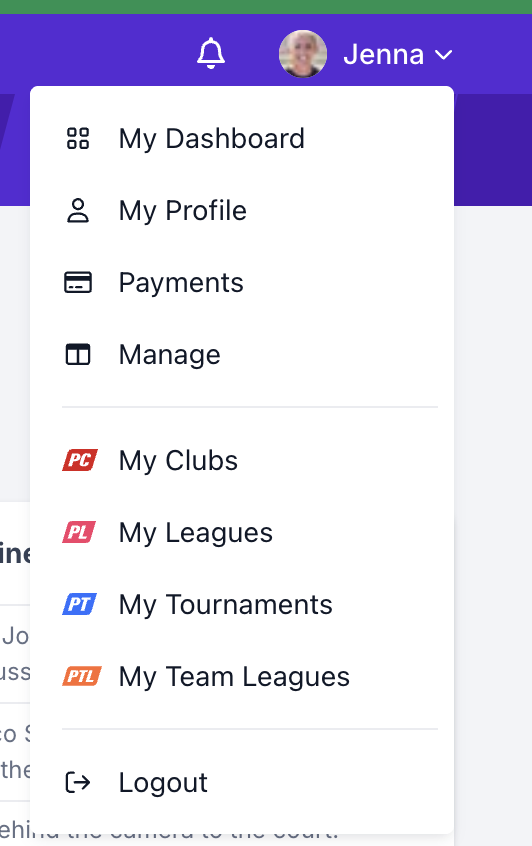
- Click your name or profile picture in the upper right corner.
- Select My Tournaments.
- Click the Registered For button.
- Click the tournament you want to access.
Option 3 — From your profile page
- Log in to Pickleball.com.
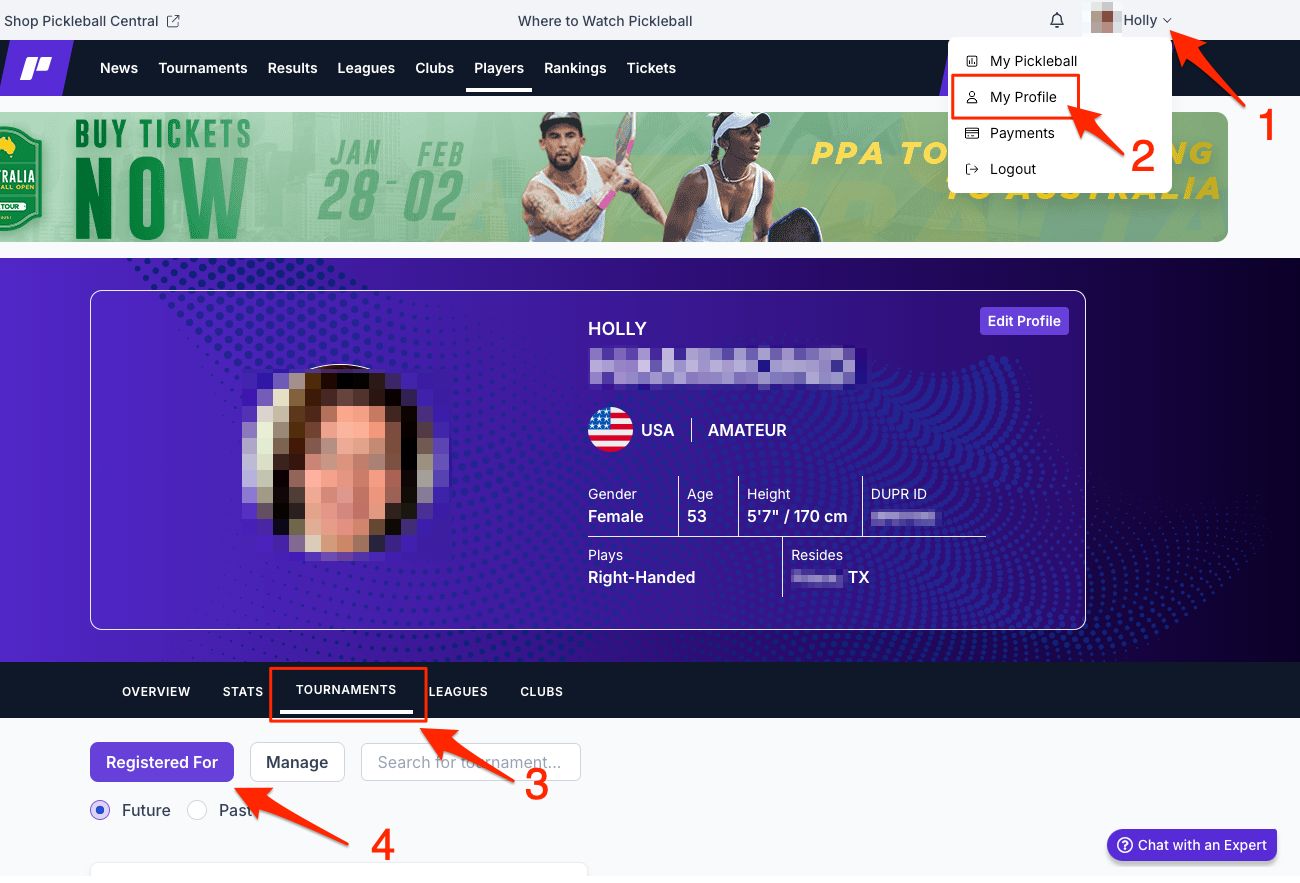
- Click your name or profile picture in the upper right corner.
- Select My Profile.
- Click the Tournaments tab.
- Click the tournament you want to access.
Frequently asked questions
I can't find a tournament I registered for — what should I check?
Use the Current & Future filter to see upcoming tournaments, or the Past filter to find completed ones. If a tournament still doesn't appear, confirm you're signed in with the same account you used to register.
Where do I find tournaments I'm managing vs. playing in?
In My Tournaments, switch to the Managing tab to see tournaments you're directing. The Registered For tab shows tournaments you entered as a player.
Related articles
- How to Request or Check the Status of a Tournament Refund
- How to Register for a Tournament on Pickleball.com (includes how to withdraw)
- How to Find My Clubs on Pickleball.com
Questions about finding your tournaments? Email support@pickleball.com.