Player Score Entry & Why it's Beneficial

Player Score Entry & Why it's Beneficial

The True Advantage of Player Score Entry

Running a pickleball tournament can involve a lot of moving parts—especially when it comes to tracking scores and keeping matches moving on schedule. A powerful feature now available allows players to enter their own match scores directly from their phones, helping tournaments run more smoothly with far less manual effort from tournament staff.

This guide explains how the feature works, why it’s so valuable for tournament directors, and how to enable it for your events.


Why Enable Player Score Entry?

Allowing players to enter scores shifts the responsibility of score reporting to the participants themselves. Instead of relying on tournament staff to collect paper score sheets or manually update brackets, results can be submitted instantly from the court.

When combined with automatic court assignment, this feature allows tournaments to run almost entirely on autopilot.

Several experienced tournament directors have praised the feature for dramatically improving efficiency.

Janice Pauley, who has directed tournaments for over 14 years, describes player score entry as “the best feature so far” for simplifying tournament management. Katie Smallwood, who organizes 10–15 tournaments each year and supports new directors, also emphasizes that text notifications and player score entry are essential tools for smooth operations.

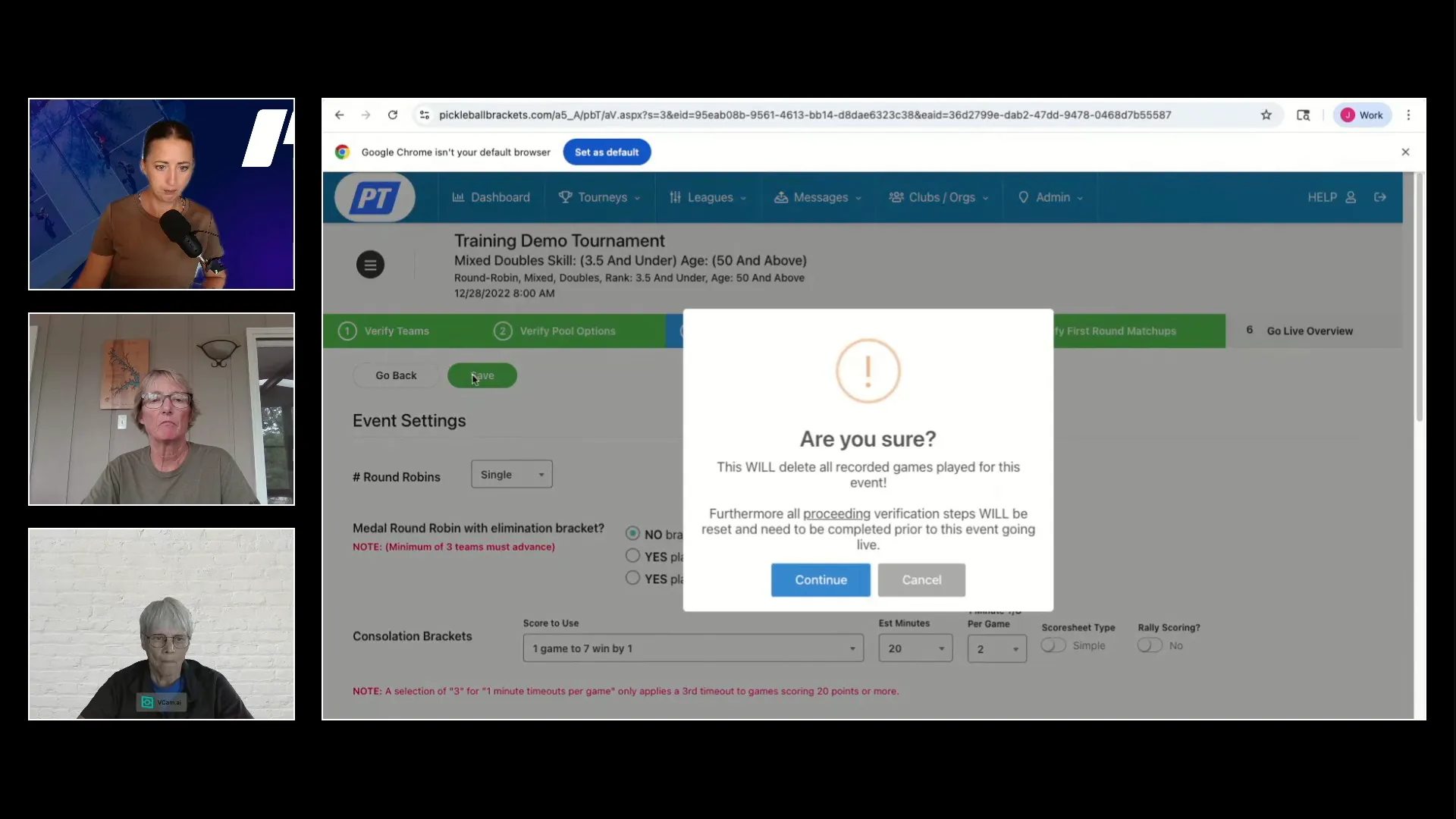
Event setup showing player score entry enabled

How to Enable Player Score Entry

Turning on player score entry is simple and can be done directly from your tournament settings.

Follow these steps:

• Go to your tournament’s Edit Tourney menu.
• Scroll down and ensure text messaging is enabled. This allows players to receive match notifications and score confirmation prompts via SMS.

Next:

• Go to the Events page.
• Click the edit pencil next to the event where you want to allow score entry.

Then:

• Scroll to the bottom of the event settings.
• Toggle “Can players enter scores?” to Yes.
• Set the minutes until auto-confirmation (the default is 3 minutes).

Finally:

• Save your changes.
• Verify your events inside the Live Console.

Once enabled, an icon will appear showing that player score entry is active for that event.


What Happens on Tournament Day?

Once the feature is active, the tournament workflow becomes much more automated.

Here’s how it works:

• Players receive text notifications when their match is ready and when a court is assigned.
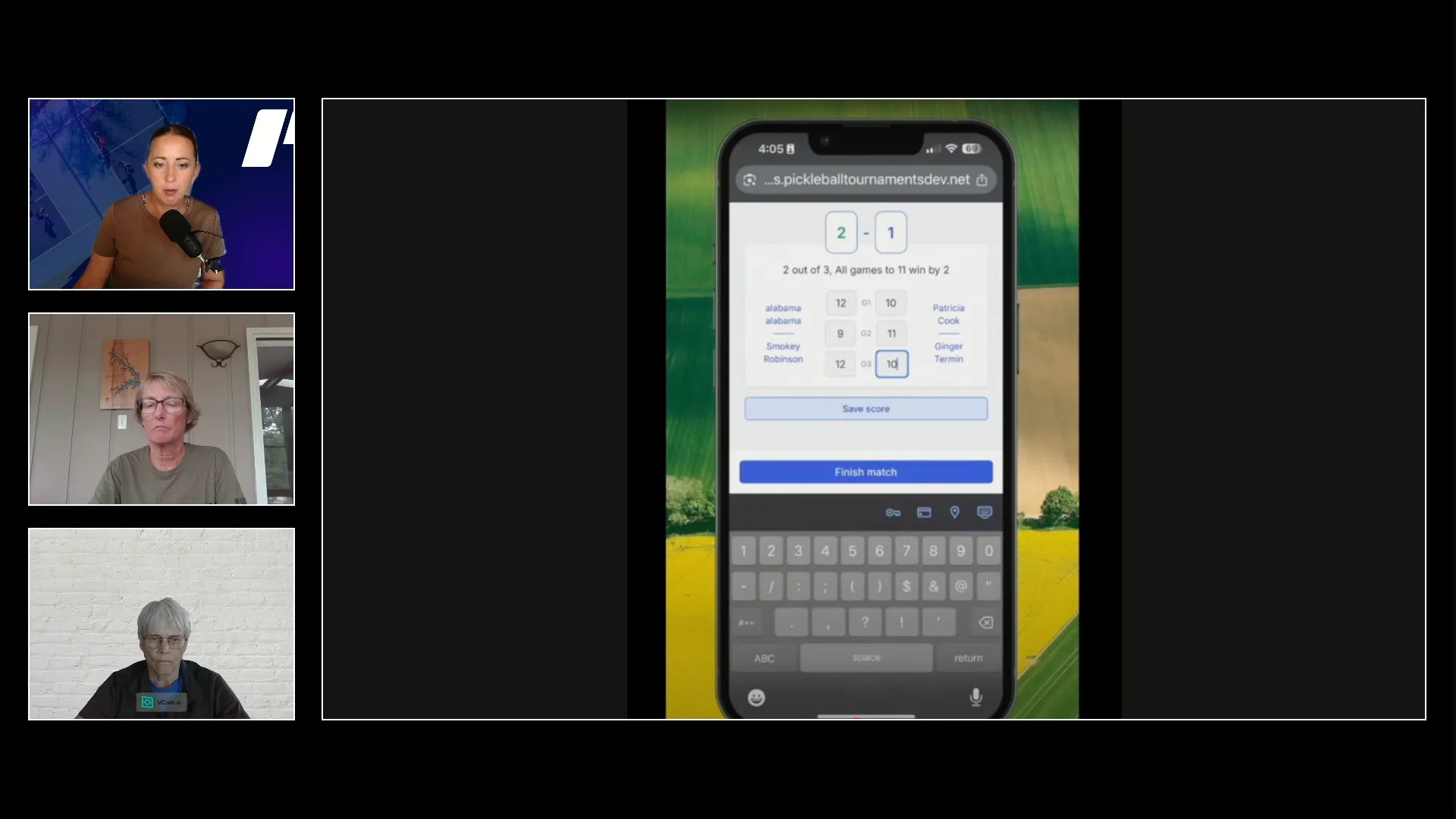
• After the match, a player from the winning team enters the score using their phone.
• A player from the opposing team receives a prompt to confirm the score.

When both teams confirm the result, the system automatically:

• Updates the bracket
• Assigns the next match
• Sends out new court notifications

This automated process keeps courts filled efficiently without manual intervention from tournament staff.

Player score entry interface on phone

Handling Score Disputes

Score disputes are uncommon but easy to resolve.

If a player disputes a submitted score, the system will prompt both teams to report to the tournament desk so the issue can be clarified.

Tournament directors recommend adjusting confirmation timing based on the tournament format.

Common approaches include:

Instant confirmation for round robin events where fast match turnover is important.
Short delays (1–3 minutes) for elimination formats to reduce the risk of incorrect results progressing automatically.


Communicating With Players

Directors emphasize that clear communication with players before the event is essential.

Players should know:

• How to log into their account
• How to enter match scores
• That they should stay on the current match screen until scores are submitted

Encouraging players to enter scores immediately after finishing a match helps prevent delays.

As Janice Pauley notes, the only challenge sometimes is reminding players to submit scores before chatting with friends after the match. Once players become familiar with the process, the system runs very smoothly.


Benefits for Tournament Directors

For tournament directors, player score entry significantly changes the role of the tournament desk.

Instead of being tied to score sheets and manual bracket updates, directors can:

• Walk the courts
• Assist players
• Monitor match progress on a tablet or phone
• Focus on player experience

This flexibility improves event management and reduces administrative workload during busy tournaments.


Getting Started

You can start using player score entry immediately in your upcoming tournaments. It only requires enabling a few settings during event setup.

To see the full process in action and hear insights from tournament directors who have used this feature in events ranging from small local tournaments to large competitions with nearly 500 players, we recommend watching the full webinar walkthrough.

Ready to streamline your next event?

Create your tournament today on PickleballTournaments.com, enable player score entry, and experience how this feature can transform the way your tournaments run.