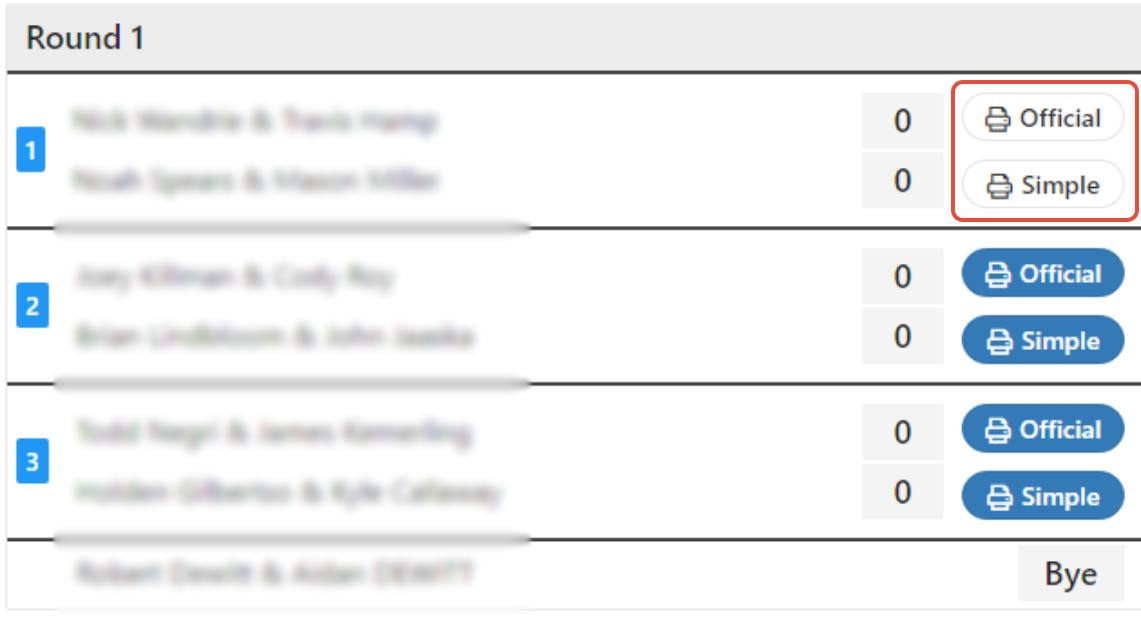
PT changes the background of the tab to white once a score sheet has been printed. Tabs that are still highlighted in a different background color haven't been printed yet.
To print score sheets in Pickleball Tournaments (PT), open the Live Console and use the print button for your event. You can print every score sheet at once or one match at a time, in either the Official (referee-style) or Simple (player-friendly) format.
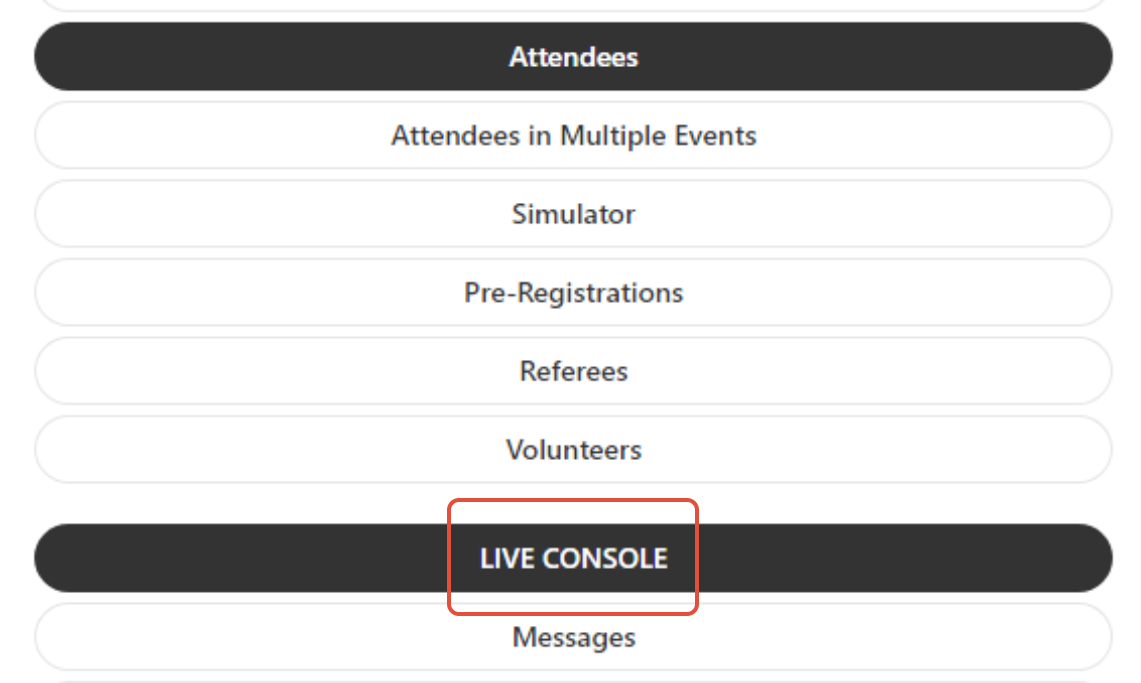
Once logged in to your tournament, open the 3-line menu and select Live Console.
If you want to print every score sheet for an event in one batch, use the print icon button next to the event name.
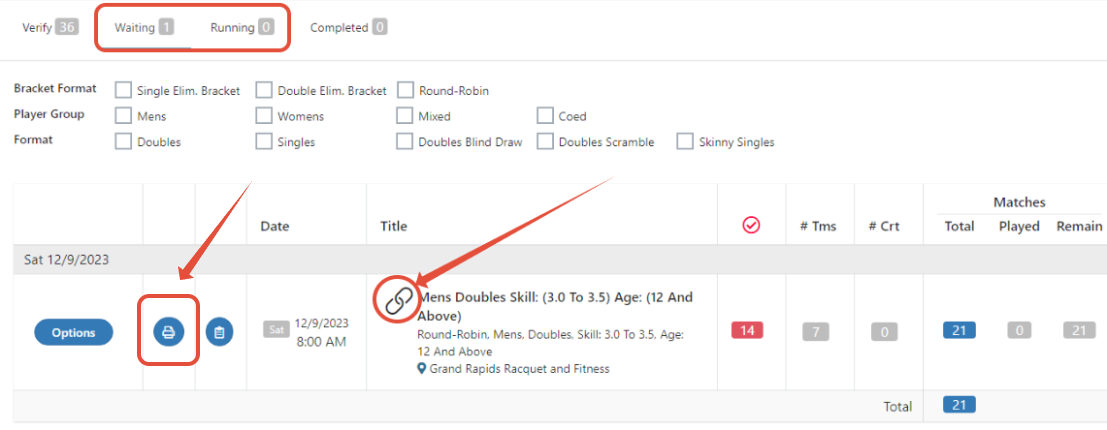
To print paper score sheets for every match in an event that hasn't been played yet, such as pool play assignments you want on the courts before the tournament starts, print them from the event's bracket in one batch.
You'll have a score sheet printed for every unplayed match in that event. Printing is done per event, so repeat these steps for each event you want to print.
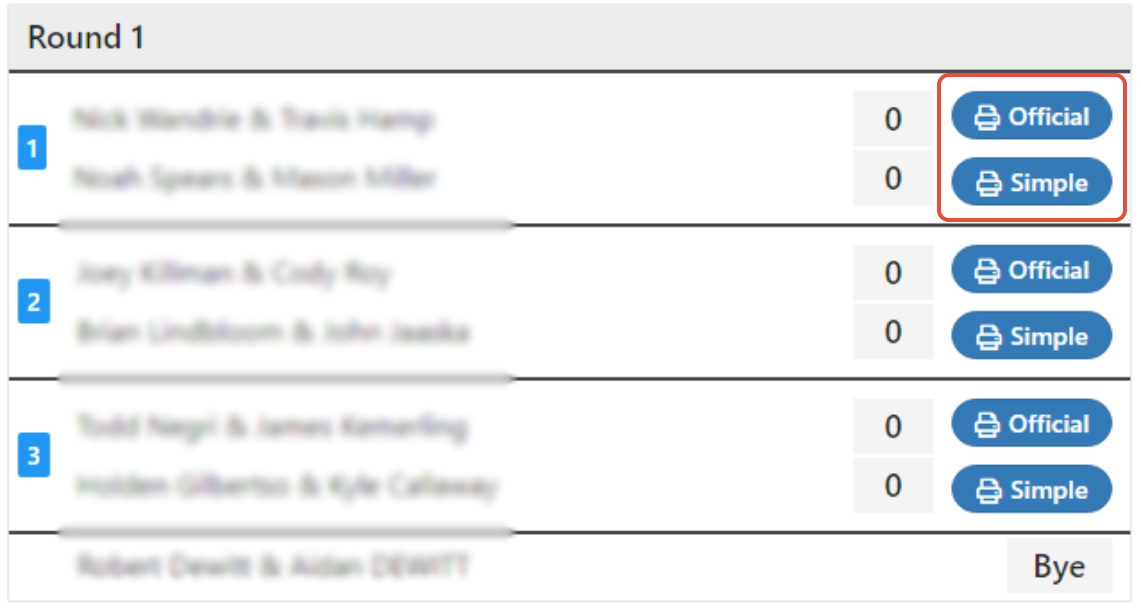
To print matches one at a time, use the link next to the event name. Then scroll to the specific match you want and select either the Official or Simple score sheet.
Once a score sheet is printed, the background of its tab turns white so you can easily see which matches still need printing.
The Official score sheet is the referee-style format with detailed game-by-game tracking. Referees generally prefer or require this format.
The Simple score sheet is a cleaner, more player-friendly format. It's recommended when players will fill in the score themselves.
NoteIf you're running events with player score entry through PT, printed score sheets may not be needed at all. Print sheets only for events where players need to track or hand in a paper record.
PT changes the background of the tab to white once a score sheet has been printed. Tabs that are still highlighted in a different background color haven't been printed yet.
Score sheet printing is per event — use the print icon next to each event name. For events that share courts, print each event's batch sequentially as matches enter the queue, or use the Print Spooler to auto-print as new matches become available.
No. With player score entry enabled, players submit scores from their phones and printed sheets aren't required. Some directors still print Simple sheets as a backup or for players who'd rather track on paper.
Referees generally prefer or require the Official score sheet because it tracks every point. Simple is the right choice when players are filling in the sheet themselves.
In the Live Console, click the Print button next to the event's bracket and select Print all unplayed matches. Make sure you select the not marked option so your tournament runs correctly. Printing is per event, so repeat for each event.
Questions about printing score sheets? Email support@pickleball.com.