How to Configure Tournament Communication and Contacts in PT
To configure how your tournament communicates with players and how contact information is routed in Pickleball Tournaments (PT), go to Edit Tourney and select the Basic Info tab. These settings control player text messaging, automated emails, contact routing, billing emails, and analytics tracking.
Before You Begin
- You must be the Primary Manager to edit communication settings.
- To pay the end-of-tournament invoice, the billing email recipient must have a Pickleball.com account and be listed as a manager on the tournament.
Player Text Messaging
Player text messaging is an optional paid feature that lets you send start times, scores, and court links directly to players via SMS.
- Cost: $0.35 per player for US and Canada. International rates vary. This fee is charged to the tournament owner after the event completes — not to players.
- What players receive: Start times, copies of scores, and quick links if you enable player score entry.
- Limitation: You cannot text all tournament players at once. Texts are sent by bracket group or individually.
NoteIf you plan to use a PA system or other on-site communication to direct players to courts, you may not need the text feature. Text messaging is most valuable for larger tournaments where PA announcements aren't practical.
Email Notifications
Email notifications are free and built into PT. Automated emails are sent to players when they register, pay, or make changes to their registration. Turning this off stops all automated email communication for your tournament.
WarningOnly turn off email notifications if you have a specific reason to do so. Players rely on automated registration confirmation emails as their record of signing up and paying. Disabling notifications will increase direct inquiries to your contact email.
Waiting List Service
When enabled, the Waiting List Service automatically moves fully registered and paid teams from the waitlist into the main draw when space opens up. Turn this off if you want to manually control waitlist movement.
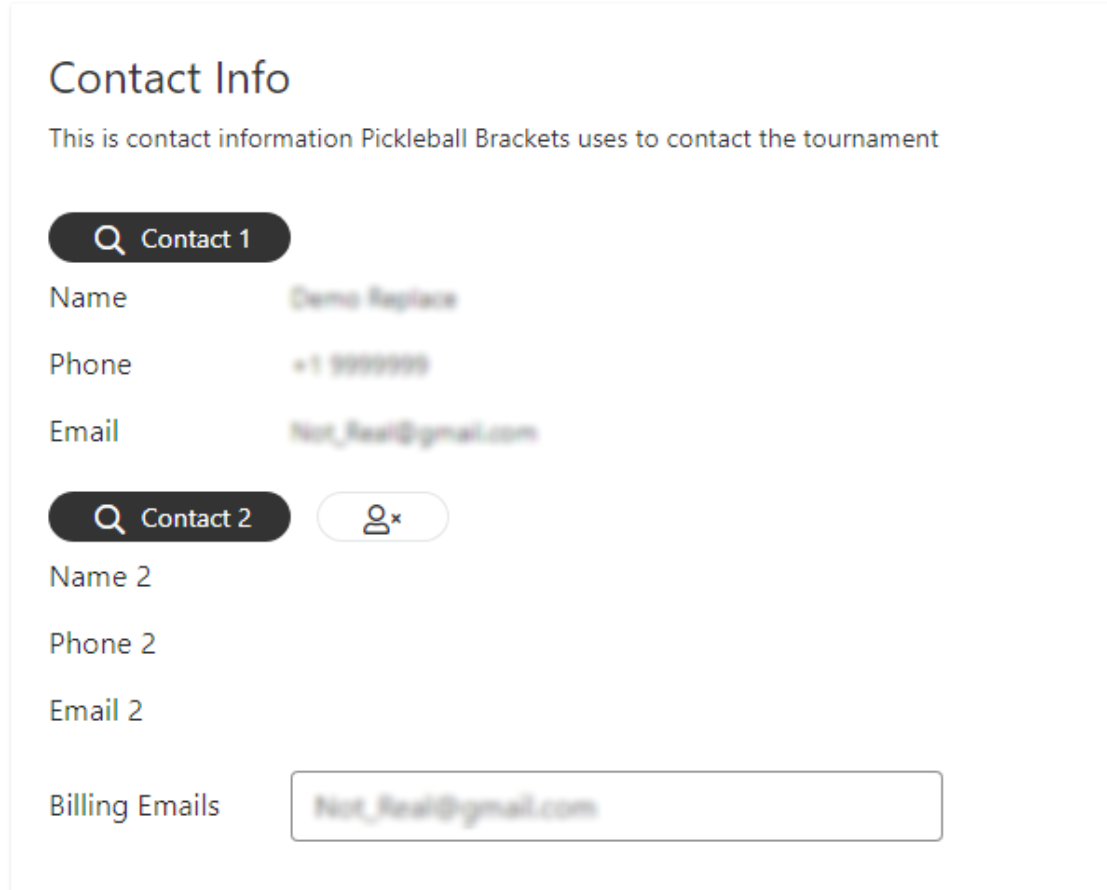
- Contact 1: The primary tournament owner. Should be your Primary Manager.
- Contact 2: An optional co-director or secondary point of contact displayed on the listing.
- Billing Emails: The email address where the end-of-tournament invoice is sent. The recipient must have a Pickleball.com account and be listed as a tournament manager to pay the invoice.
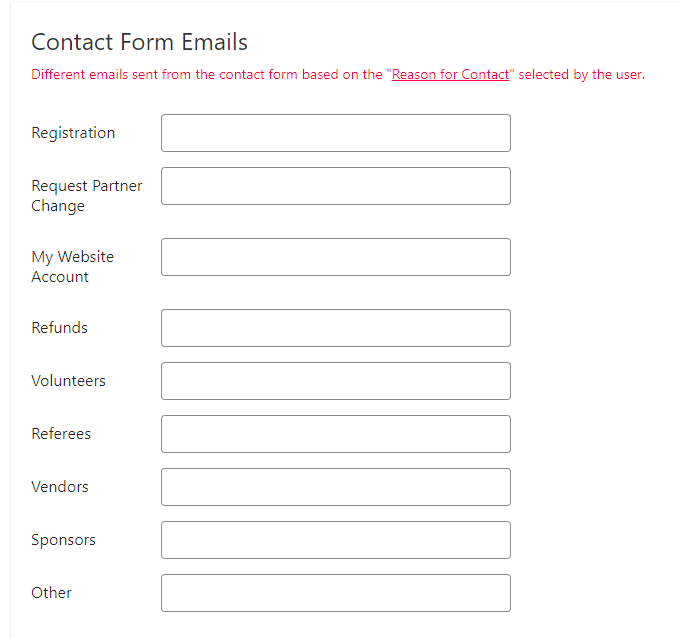
Contact Form Emails let you route player inquiries to the right person on your team. When a player uses the Contact Tourney button on your listing, their message is directed to the appropriate email based on the topic they select.
- If you have one person handling registrations and another handling refunds, enter their email addresses in the corresponding fields.
- If all fields are left blank, all contact form emails go to Contact 1.
- Use the Contact Form Display Info section to control whether your personal contact details are shown to players who use the contact form.
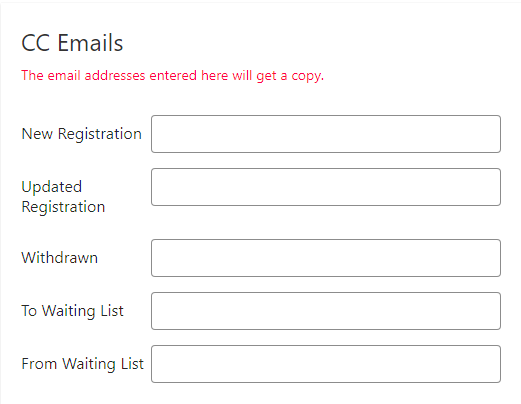
CC Emails
Enter your email address in the CC Emails field to receive a copy of every automated player email sent by the tournament. This is useful if you want a running record of all registrations, payments, and changes without logging into PT to check.
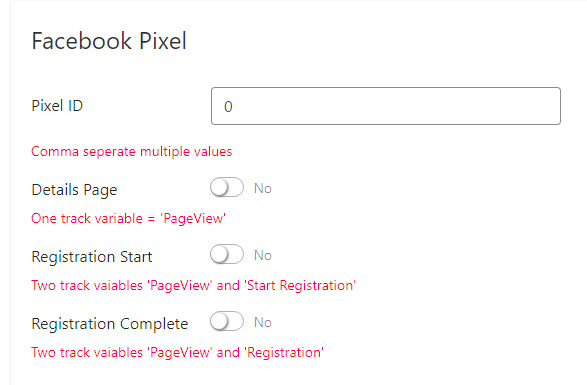
Google and Facebook Tracking
If you use Google Analytics or Facebook Pixel to track traffic to your tournament registration page, enter your tracking IDs in this section. Refer to Google or Facebook for setup instructions for each platform.
Frequently Asked Questions
Can I text all tournament players at once?
No. You cannot send a single text to all tournament players at once. Player texts are sent by bracket group or individually through the Court Desk or Live Console features. If you need to reach all players simultaneously, use PT's email messaging tools instead.
What does the billing email recipient need to pay the invoice?
The billing email recipient must have a Pickleball.com player account and be listed as a manager on your tournament. If the invoice is going to someone other than yourself, make sure they're added as a manager first. See How to Add a Manager to Your Tournament.
How do I get copies of all player registration emails?
Enter their email in the CC Emails field in Basic Info. They'll receive a copy of every automated player email including registration confirmations, payment receipts, and change notifications.
Need help with communication settings? Contact our support team at support@pickleball.com.