.jpg?width=1320&height=528&optimizer=image)
Inclusive Viewing: How to Use and Personalize YouTube Captions
Closed Captions on YouTube: A Complete Guide for an Inclusive Viewing Experience
Accessibility plays an important role in making video content useful for everyone. Whether you're watching tutorials, webinars, or instructional videos, closed captions on YouTube can make content easier to understand—especially for viewers who are hearing impaired, watching in noisy environments, or learning in a second language.
Closed captions on YouTube are more than simple text on the screen. They offer several customization options that allow viewers to tailor the experience to their personal preferences, improving readability and accessibility.
Why Use YouTube Closed Captions Instead of Baked-In Captions?
Some videos use baked-in captions, meaning the text is permanently embedded in the video. While this ensures captions are always visible, it removes flexibility for viewers.
YouTube’s built-in closed caption system offers much more control.
Benefits include:
• Captions can be turned on or off at any time
• Text can be translated into multiple languages
• Font size, color, and style can be customized
• Background opacity can be adjusted for readability
These features allow viewers to create a caption experience that fits their needs and preferences.
How to Turn Closed Captions On or Off
Enabling captions on YouTube takes just a few seconds.
-
Locate the CC (Closed Caption) button in the bottom-right corner of the video player.
-
Click the CC button to turn captions on.
-
Click it again to turn captions off.
This simple toggle allows viewers to choose whether captions are displayed while watching.
How to Translate Captions Into Different Languages
One of YouTube’s most helpful features is auto-translate, which allows captions to be converted into many different languages.
To translate captions:
-
Click the Settings (gear icon) next to the CC button.
-
Select Subtitles / CC.
-
Choose Auto-translate.
-
Scroll through the list and select your preferred language.
While auto-translated captions may not always be perfect, they provide a helpful approximation that allows viewers from different regions to understand the content more easily.
Customizing Caption Appearance
Sometimes captions can be difficult to read depending on video backgrounds or lighting. YouTube allows you to customize the caption appearance to improve visibility.
To change caption styling:
-
Click the Settings (gear icon) in the video player.
-
Select Subtitles / CC.
-
Click Options.
From there, you can adjust several settings:
• Font type – Choose a style that is easier to read
• Font color – Select a color that contrasts well with the video
• Font size – Increase or decrease text size for comfort
• Background color – Add a background behind captions for clarity
• Background opacity – Adjust transparency to balance readability and video visibility
For example, lowering background opacity to 25% can make captions easier to read without covering too much of the video.
If needed, you can reset these settings anytime to return to the default appearance.
Why Caption Accessibility Matters
Accessible video content helps more people learn, engage, and participate.
Closed captions benefit many types of viewers:
• People who are hearing impaired
• Viewers watching videos in noisy environments
• People learning English or another language
• Anyone who prefers reading along with spoken instructions
For educational content—such as pickleball tutorials or tournament training videos—captions help ensure that no viewer is left behind.
Supporting Accessibility in the Pickleball Community
Providing customizable captions is an important step toward making instructional pickleball content more inclusive.
When viewers can adjust captions for size, contrast, or language, they can absorb information more effectively and participate fully in the learning experience.
Whether you’re watching a software tutorial, tournament training video, or gameplay breakdown, captions make the content more accessible for everyone.
Learn with Confidence
If you're planning your next event, visit PickleballTournaments.com to get started.
And when you're ready to explore our tutorials, head to our YouTube channel, where our videos support customizable closed captions so you can follow along in the way that works best for you.
Related articles
Five pickleball tips to improve your game from beginner to 4.0
Coach Jess breaks down concepts that can help players win more points, improve consistency, and avoid common mistakes on the court.
5 hours ago
-Pickleball.com Staff
.png?width=592&height=237&optimizer=image)
Five ways to elevate your dink game like a pro
These strategies can help you make smarter decisions and gain the upper hand in kitchen line battles.
6 days ago
-Pickleball.com Staff
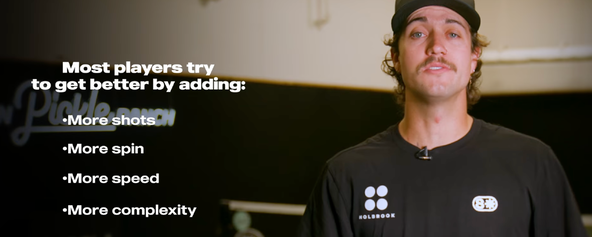
Five mindset shifts every pickleball player should know
Michael Lloyd shares lessons that changed the way he approaches the game, from redefining aggression to letting the ball dictate every shot.
7 days ago
-Pickleball.com Staff
Want to improve fast? Start with these 5 priorities
Build a smarter game with these must-practice fundamentals alongside coach Jordan Briones.
11 days ago
-Pickleball.com Staff