.jpg?width=1320&height=528&optimizer=image)
New Feature: Players Enter Their Own Scores During Events!
The Benefits of Letting Players Enter Their Own Scores
Running a pickleball tournament smoothly requires efficient score tracking and court management. One of the most effective tools available to tournament directors is allowing players to enter their own match scores directly from their phones. This feature simplifies tournament operations, reduces administrative work, and helps keep matches moving quickly.
By shifting score reporting to the players themselves, tournaments can operate more efficiently while still maintaining accuracy and transparency.
Step 1: Enabling Player Score Entry
The foundation of this system is enabling the “players can enter scores” option within your event settings.
Once activated, players are able to submit match scores immediately after their match concludes. Along with this setting, you’ll also choose a confirmation window—a short period during which the opposing team can review and confirm the score before it becomes final.
This confirmation period ensures that results are accurate while still allowing matches and brackets to update quickly.
Step 2: Managing Score Disputes
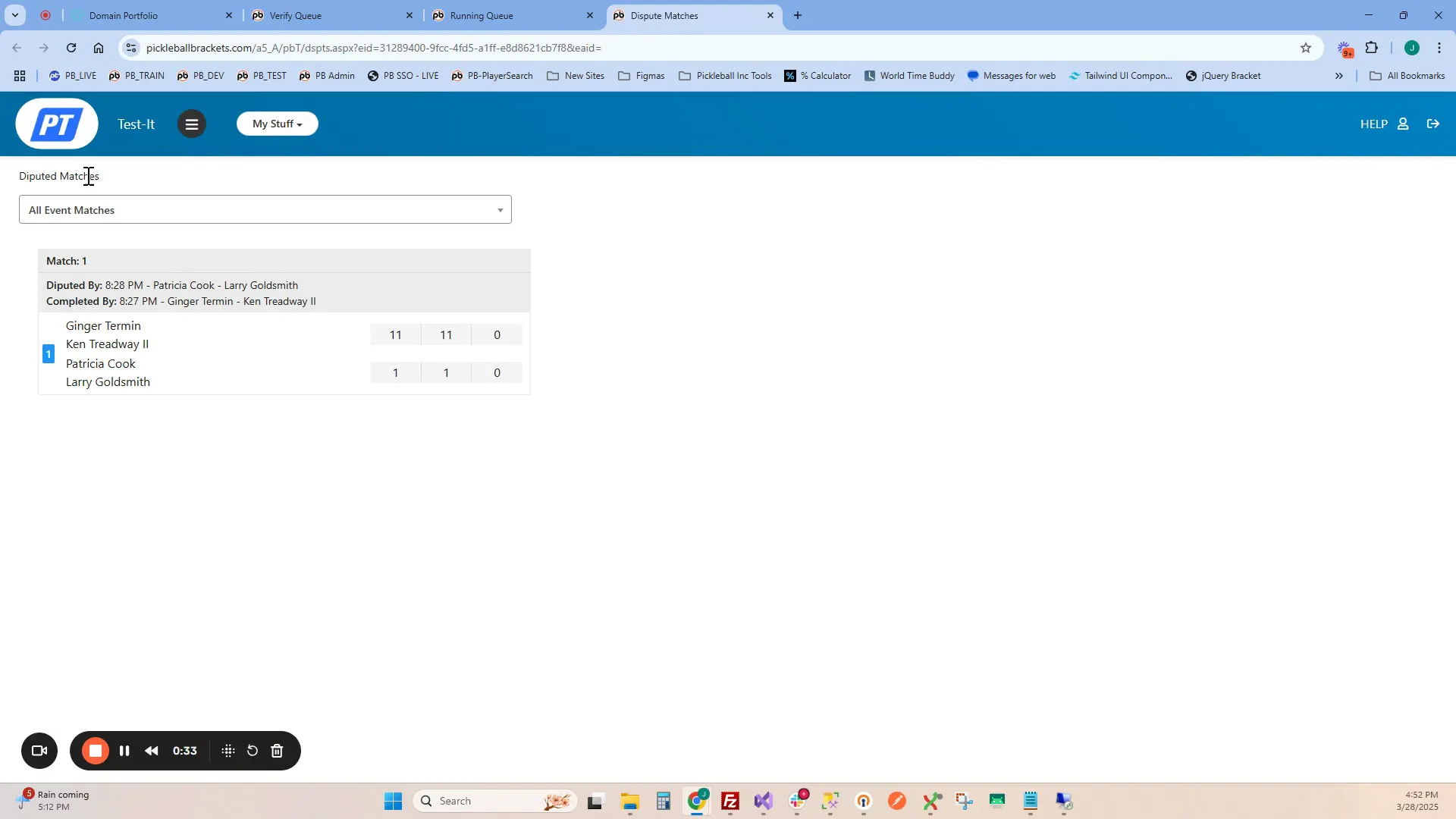
Occasionally, players may disagree on a match result. When this happens, the system flags the match and displays a dispute button within the Live Console.
Tournament administrators can then:
• View the dispute in the dedicated dispute screen
• Filter disputes by event or bracket
• Adjust scores if necessary
Once the issue is resolved and the correct score is entered, the dispute flag disappears and the bracket updates accordingly. This process keeps score management organized and transparent.
Step 3: Optimizing Court Assignments
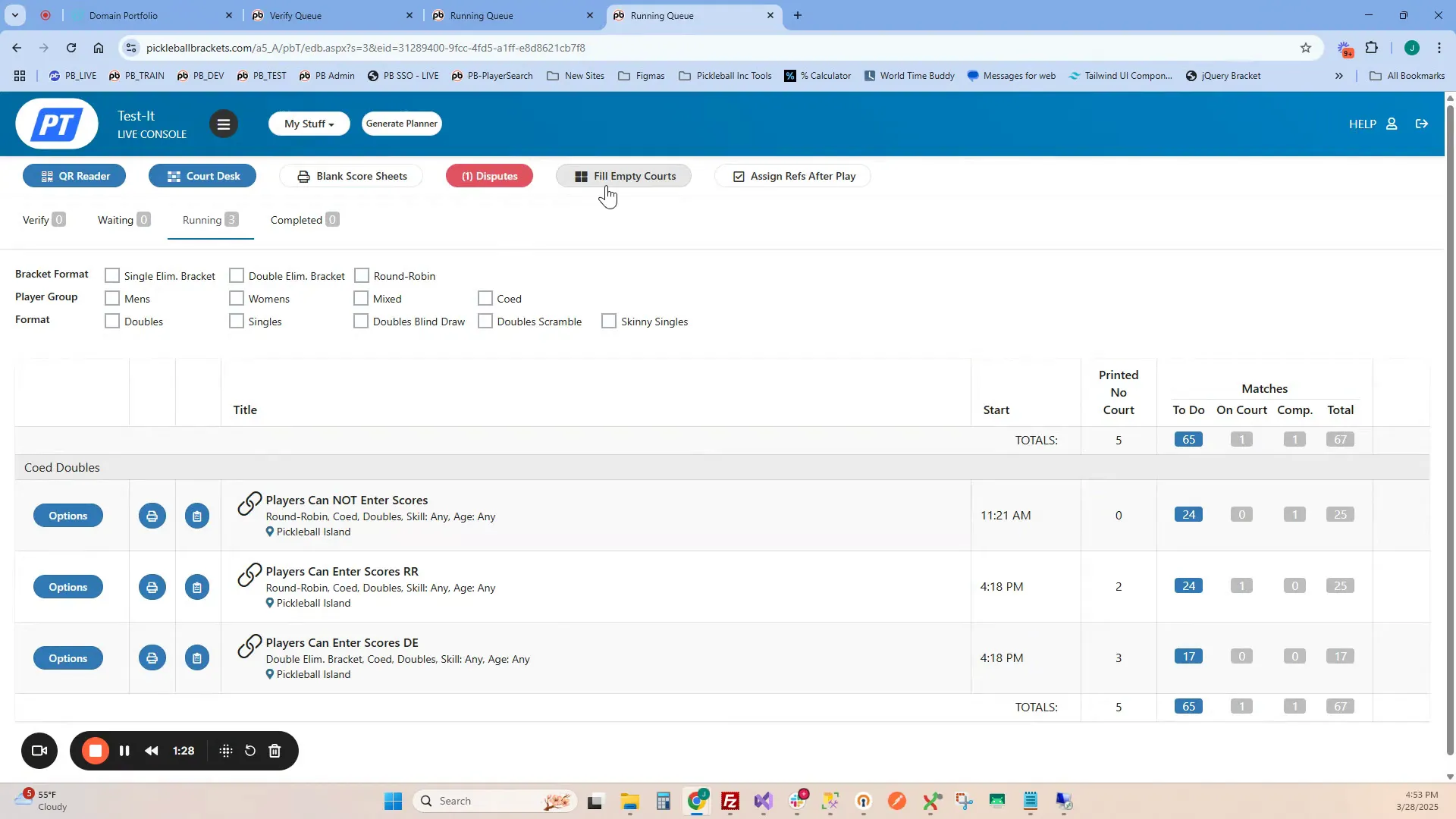
Another helpful feature that works alongside player score entry is Fill Empty Courts.
This tool automatically assigns matches from the queue to available courts, distributing play evenly and reducing downtime.
Tournament directors can also assign specific courts to certain brackets or divisions. For example:
• Reserve courts for pro-level matches
• Assign round robin brackets to dedicated courts
• Separate divisions across different court areas
This flexibility helps maintain a steady flow of matches throughout the tournament.
Step 4: Managing Next-Up Matches
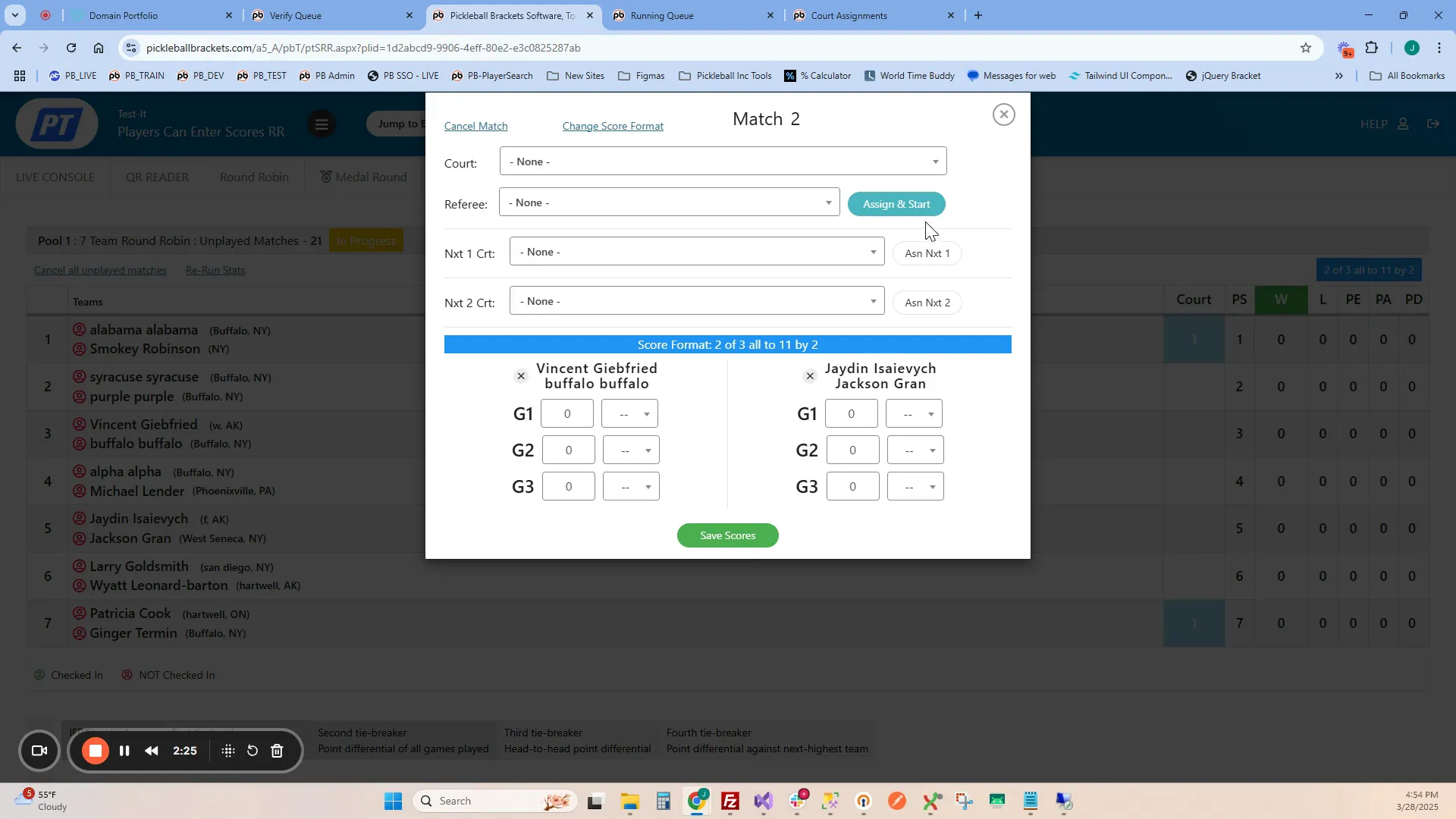
Sometimes tournament directors want to prioritize certain matches. Using the Next Up feature, you can queue specific matches behind those already in progress.
This allows directors to maintain smooth scheduling while ensuring key matches are ready to begin as soon as courts become available.
If players are unable to enter scores due to issues like limited phone access or poor internet connectivity, tournament staff can still enter scores manually at the score table.
When entered manually:
• Scores are automatically confirmed
• The next match is immediately assigned to the court
This ensures tournaments continue running smoothly even if players cannot submit scores themselves.
Step 5: Reducing Paper and Automating Communication
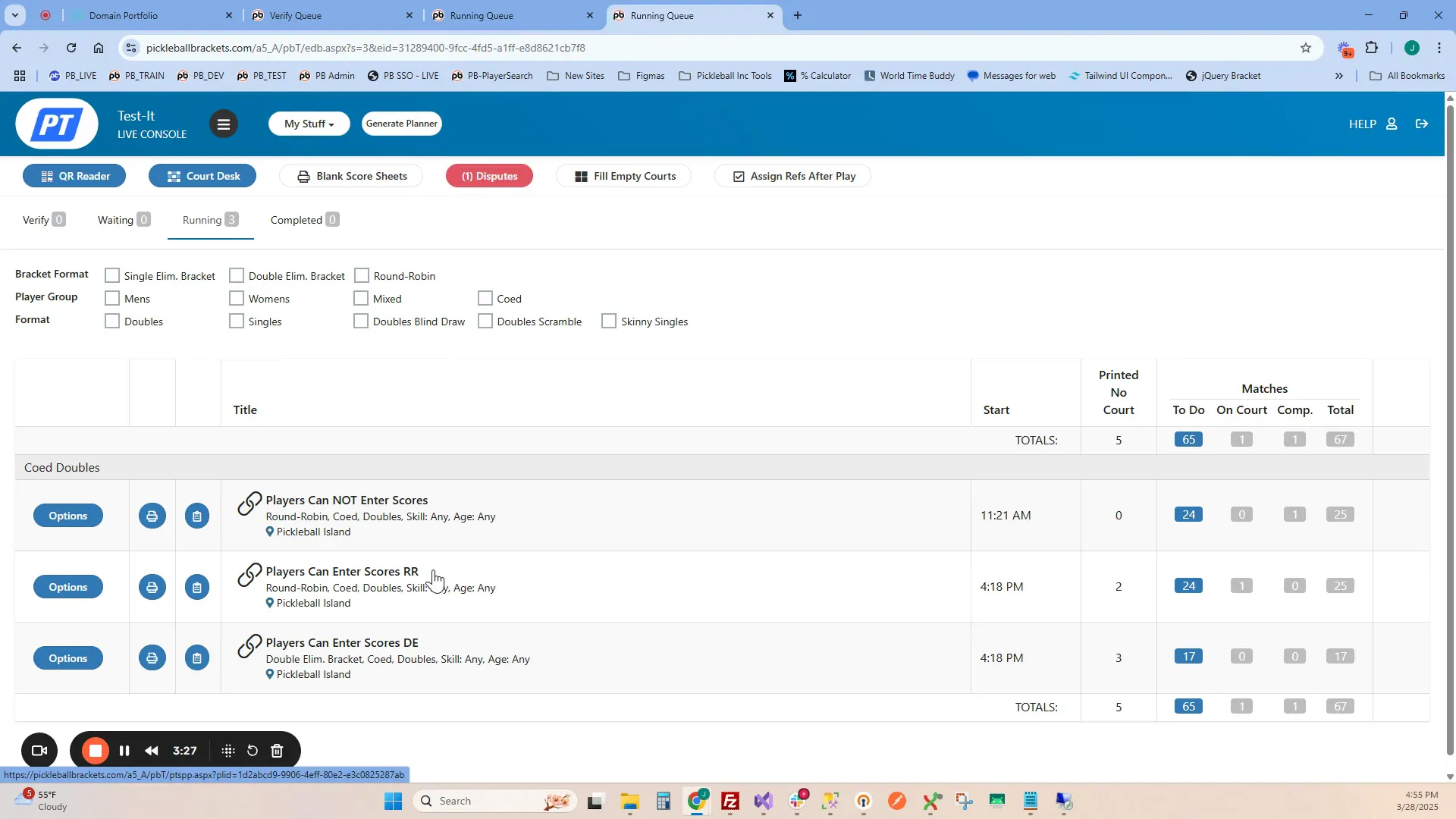
Because players receive match notifications digitally and enter scores from their devices, tournaments no longer need printed score sheets for assigned matches.
Matches are automatically marked as printed within the system.
If needed, tournament directors can still revert to traditional score sheets by:
• Disabling player score entry
• Marking matches as not printed
This flexibility allows organizers to switch between digital and paper workflows depending on their needs.
Why Player Score Entry Makes a Difference
Allowing players to enter their own scores provides several important benefits.
• Faster Score Reporting – Scores are submitted immediately after matches finish.
• Reduced Staff Workload – Staff spend less time collecting score sheets and updating brackets.
• Improved Accuracy – Players confirm scores directly, reducing reporting errors.
• Simplified Court Management – Automated assignments keep courts active and balanced.
• Eco-Friendly Operations – Less paper is required, reducing printing and waste.
These advantages help tournaments run more efficiently and provide a better overall experience for players and organizers alike.
Frequently Asked Questions
Do all matches need to use player score entry?
No. Tournament directors can enable this feature for specific events or brackets while managing other matches using traditional score reporting.
Are score sheets still used?
When player score entry is enabled, score sheets are typically unnecessary because results are submitted digitally. However, you can disable the feature anytime and return to printed score sheets if needed.
What about refereed matches?
Refereed matches, such as medal rounds or championship matches, can still be scored manually by tournament staff at the score table to ensure official oversight.
How are players notified about their matches?
Once scores are entered and confirmed, the system automatically assigns the next match to an available court. Players receive notifications digitally, keeping them informed in real time without manual updates from staff.
Final Thoughts
Allowing players to enter their own scores is a powerful way to streamline tournament management. By automating score reporting and match assignments, tournament directors can focus less on administrative tasks and more on creating a great experience for players.
Whether you’re running a small local event or a large competitive tournament, this feature can save time, reduce workload, and keep matches moving efficiently.
If you're interested in seeing how the system works in action, check out the video tutorial below for a complete walkthrough.
Related articles
.png?width=592&height=237&optimizer=image)
How Beer City Open Built the Volunteer Culture Every TD Dreams Of
Walk into the Beer City Open and something feels different before you ever pick up a paddle. That feeling is the product of years of deliberate work by the Grand Rapids Pickleball Club,
46 days ago
-Jenna Timmer

Two Disputes, Two Outcomes: Getting Players to the Desk When Things Go Sideways
104 days ago
-Jenna Timmer

Team Events Within A Tournament: Live Walkthrough Webinar
116 days ago
-Tyrece Warner

The DUPR Reset Confirmed Something We Already Knew About Getting Better
123 days ago
-Tyrece Warner