How Do You Claim an Unclaimed DUPR Account From a Pickleball Tournament?
If you played in a tournament on PickleballTournaments where matches were submitted to DUPR before July 2025, there is a strong chance a DUPR profile was automatically created for you. If you never created or linked a DUPR account, your match results may already exist under an unclaimed profile that you can easily claim.
What Is an Unclaimed DUPR Account?
An unclaimed DUPR account is a player profile automatically generated when match results are submitted to the DUPR rating system but the player has not yet registered or linked their account.
This often happens when players:
• Enter tournaments where match results are sent to DUPR
• Do not yet have an official DUPR login
• Have not linked their Pickleball.com account to DUPR
In many cases, the system creates a placeholder profile using the same email address used to create your Pickleball.com account.
Claiming the account allows you to take ownership of the profile and manage your rating, match history, and future results.
How Does Claiming Your DUPR Account Work?
You can claim your DUPR account either through the DUPR website (desktop) or through the DUPR mobile app.
Step 1: Go to the DUPR Login Page
Navigate to the DUPR homepage and click the Login button.
This takes you to the account access page where you can start the claim process.
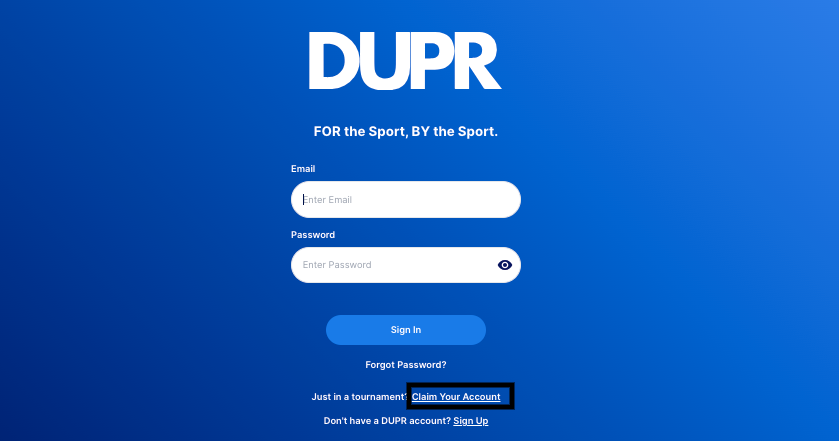
Step 2: Select “Claim Your Account”
Below the Forgot Password section, click the option labeled Claim Your Account.
This opens the search tool used to locate your existing player profile.
Step 3: Search for Your Name
In the search field:
• Enter your name
• Locate your profile in the results
• Click your profile to open it
Review the matches listed to confirm the profile reflects your playing history.

Step 4: Confirm the Profile Is Yours
If the matches match your tournament results:
• Click This is me
This begins the account ownership process and connects the profile to your login credentials.

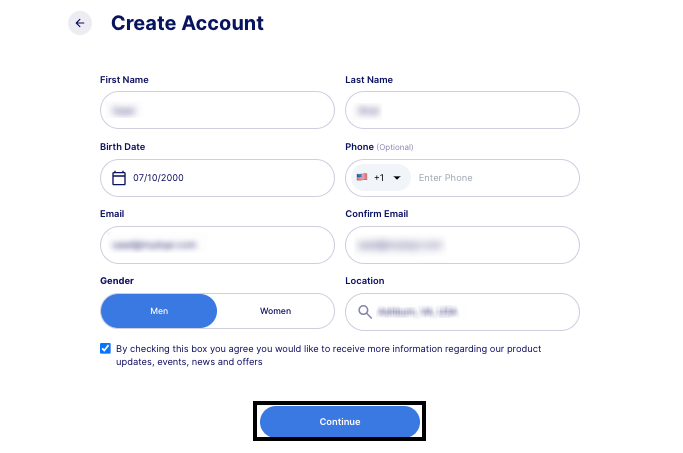
Step 5: Enter Your Account Information
You will be prompted to enter:
• Your full name
• Additional account details for identity verification
After completing the required fields, click Continue.
Step 6: Create Your Password
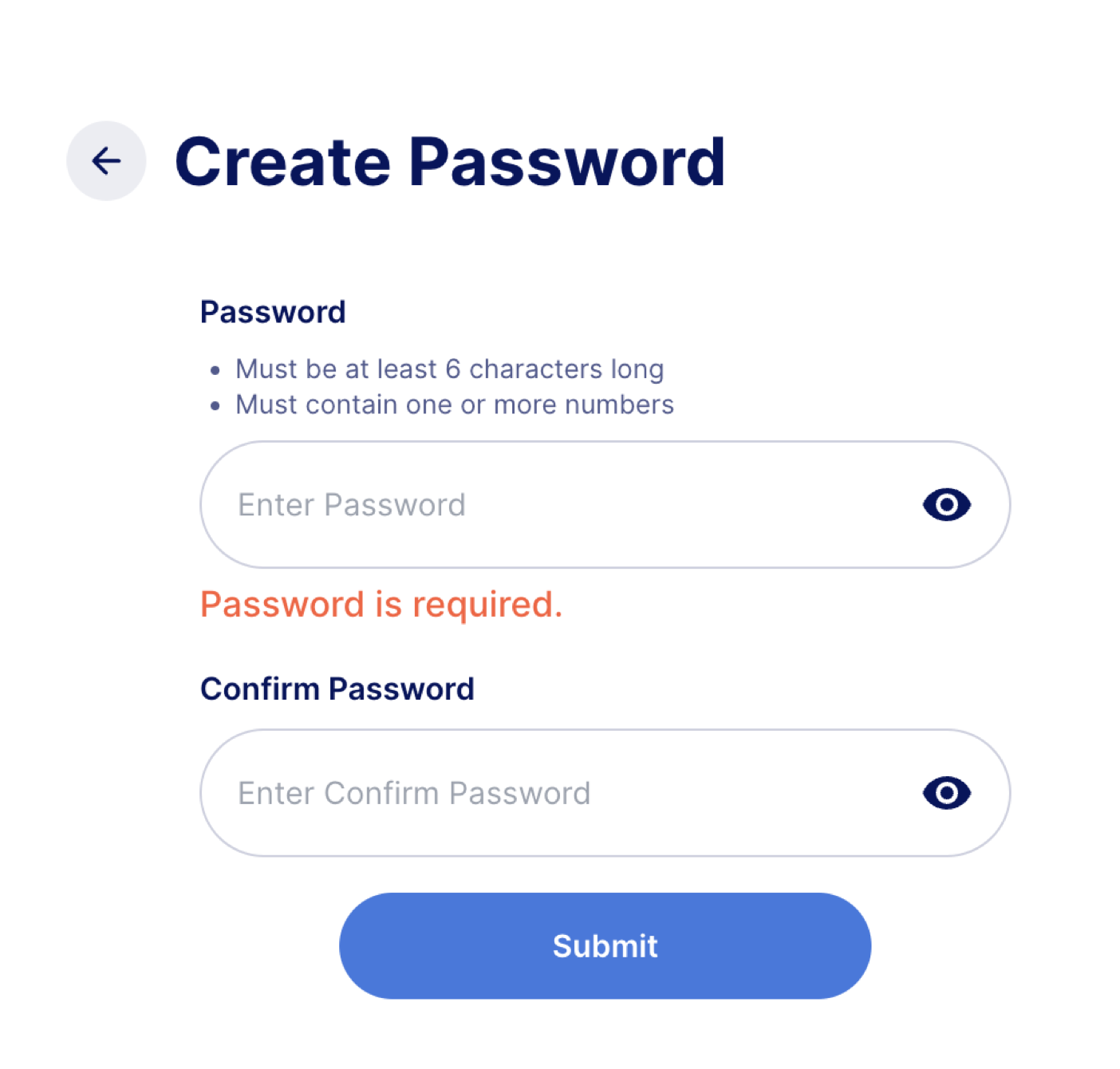
The final step is setting a secure password for your DUPR account.
• Enter your password
• Click Submit
Your account is now successfully claimed, and you can begin managing your DUPR profile and match history.
How to Claim Your DUPR Account Using the DUPR App
You can also claim your account directly through the DUPR mobile app.
Step 1: Tap “Sign Up”
Open the DUPR app and click Sign Up.
This begins the process of creating or claiming a player account.

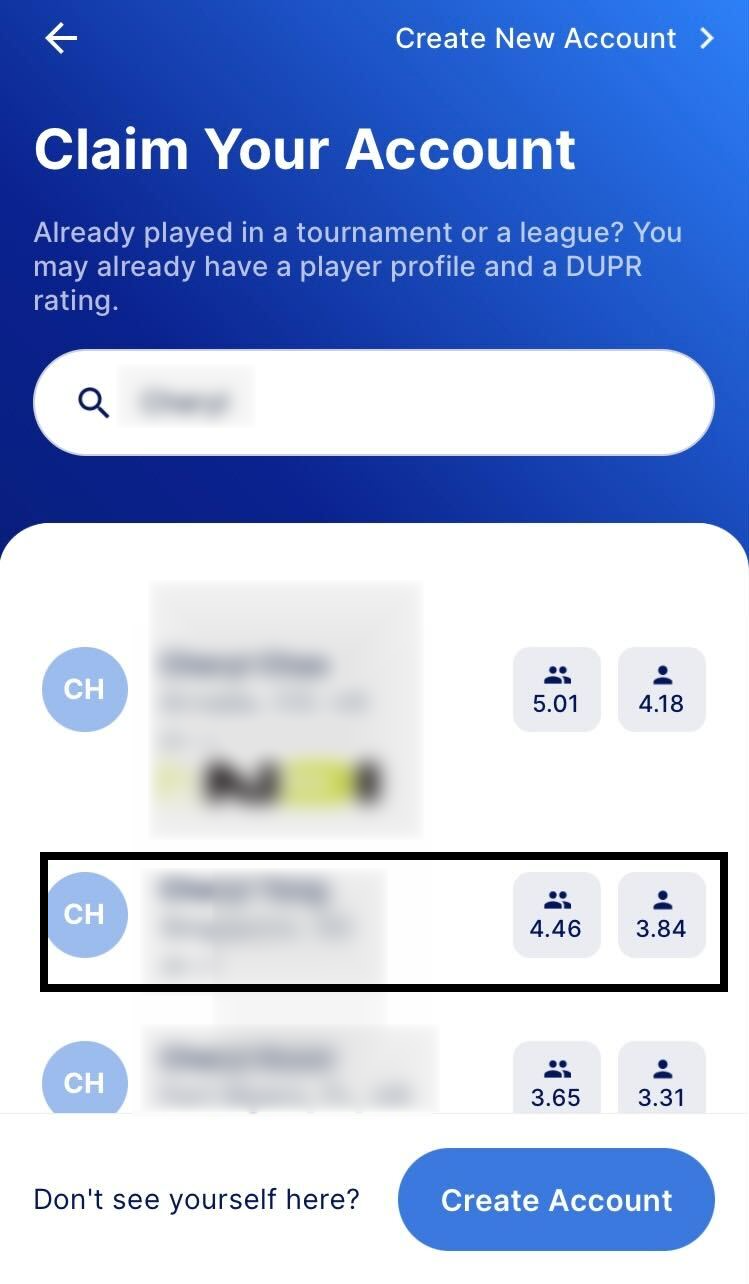
Step 2: Search for Your Profile
In the search bar:
• Enter the name associated with your tournament profile
• Find your name in the results
• Select the correct account
This step ensures you are claiming the correct profile in the system.
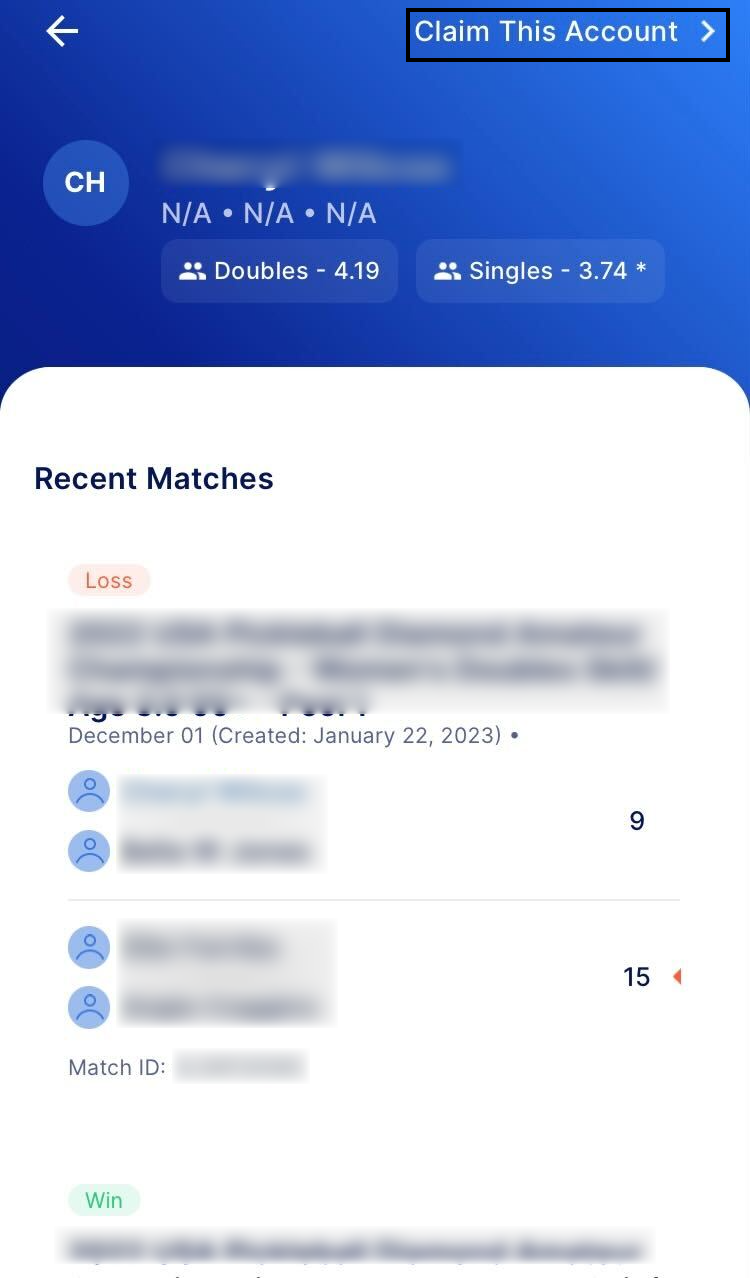
Step 3: Select “Claim This Account”
On the profile page:
• Tap Claim This Account located at the top right corner
This signals that you want to take ownership of the profile.
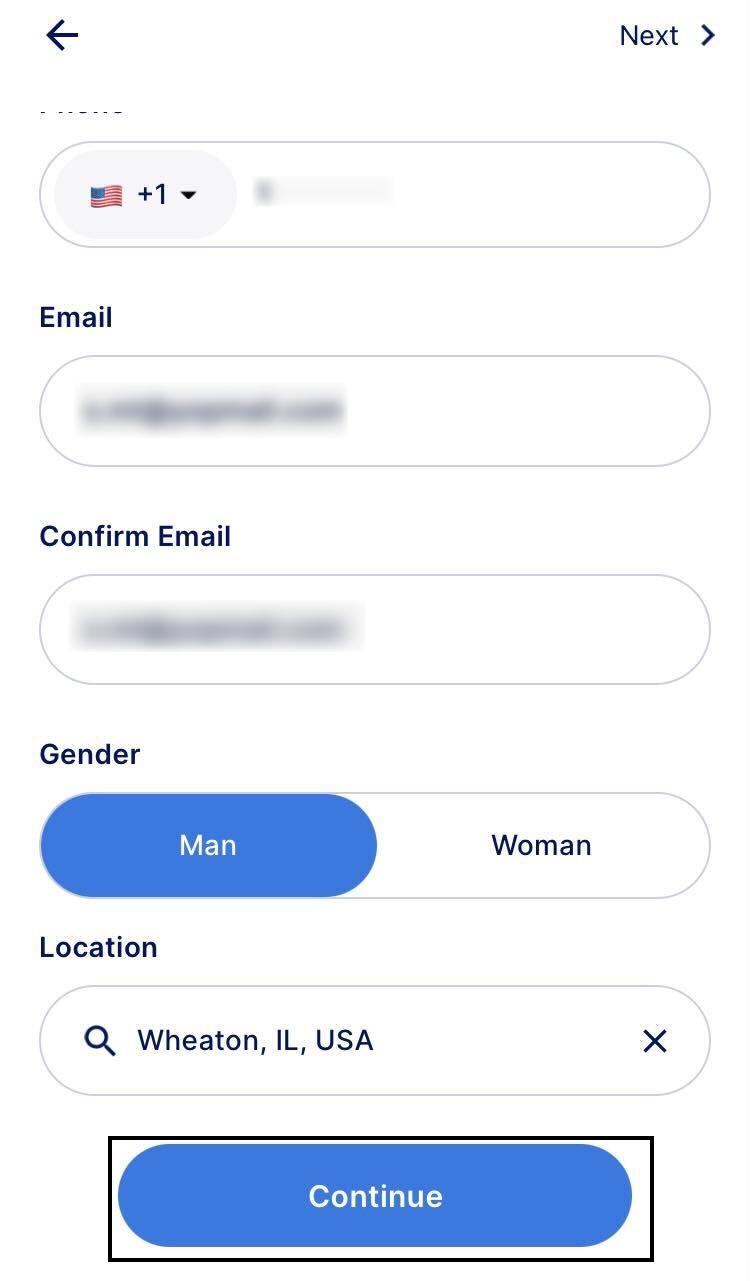
Step 4: Enter Your Account Details
You will be prompted to enter:
• Your full name
• Required account verification details
After completing the fields, tap Continue.
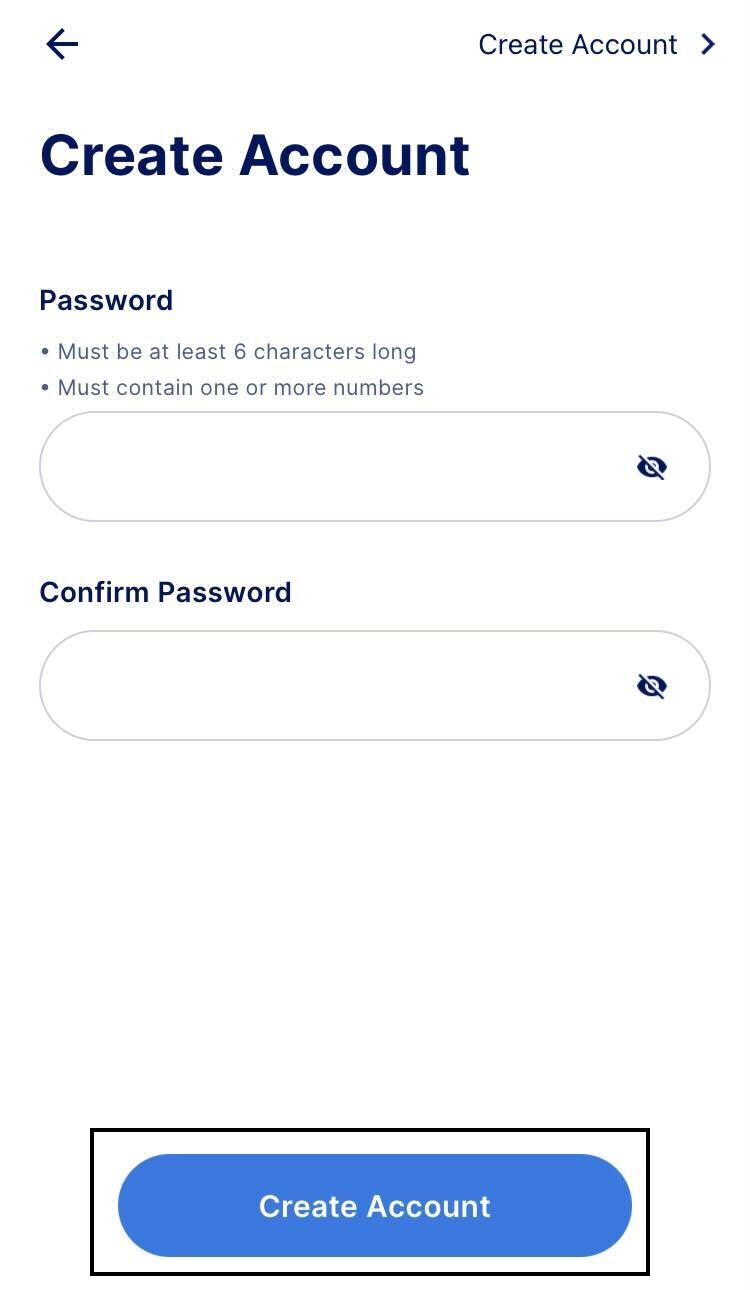
Step 5: Create Your Password
Enter a secure password and tap Create Account.
Once completed, your DUPR account is officially claimed and ready to use.
Why Is Claiming Your DUPR Account Important?
Claiming your DUPR account ensures your match results, rating history, and tournament records are correctly linked to your personal login.
By claiming your account, you can:
• Track your DUPR rating progress
• Review past match results
• Record new matches
• Manage your player profile
Without claiming the account, your match history may exist in the system but remain disconnected from your login.
What Are the Key Benefits of Claiming Your DUPR Profile?
Benefit #1: Access to your match history
You can see the matches that contributed to your rating.
Benefit #2: Accurate rating management
Claiming your profile ensures your DUPR rating is tied to your personal account.
Benefit #3: Full access to DUPR features
Once claimed, you can record matches, track performance, and manage your pickleball activity.
Common Questions About Claiming a DUPR Account
Why was a DUPR account created for me?
If you played in a tournament where match results were submitted to DUPR, the system may have automatically created a placeholder profile so those results could be recorded.
How do I know if the profile is mine?
Review the match history listed under the profile. If the matches reflect your tournament results, it is likely your account.
What if I cannot find my profile?
Try searching different variations of your name or check the email address used during tournament registration.
What should I do if I still cannot claim my account?
If you encounter issues during the claim process, contact the DUPR support team for assistance.
Key Takeaways
• Unclaimed DUPR accounts may exist if you played in tournaments before linking a profile.
• These accounts are often created using the same email associated with your Pickleball.com account.
• You can claim your account through the DUPR website or mobile app.
• Claiming the account connects your match history and rating to your login.
• Once claimed, you gain full access to DUPR features and performance tracking.
Need Help Claiming Your DUPR Account?
Claiming your DUPR account is designed to be simple and secure. If you run into issues or have questions at any point in the process, make sure to submit a request to the DUPR support team for assistance.
.jpg?width=1320&height=528&optimizer=image)

.png?width=592&height=237&optimizer=image)