.jpg?width=1320&height=528&optimizer=image)
How To Broadcast Your Tournament Live on YouTube
How to Link Your YouTube Broadcast to Your Tournament Homepage
If you're livestreaming your pickleball tournament on YouTube, connecting that broadcast directly to your tournament homepage makes it much easier for fans, players, and spectators to watch matches in real time.
Instead of searching for your YouTube channel or individual videos, viewers can quickly access the livestream or replay directly from the tournament page. This simple integration improves visibility, increases engagement, and creates a more professional viewing experience.
In this guide, we’ll walk through how to link your YouTube playlist or livestream to your tournament page and explain the options available for organizers.
Why Linking Your YouTube Broadcast Matters
Streaming tournament matches is a great way to expand your audience and allow fans to follow the action remotely. However, without a clear link on your tournament homepage, viewers may struggle to find the livestream or replay videos.
Linking your YouTube broadcast offers several advantages:
• Quick access for viewers – Fans can find the matches they want instantly.
• Improved engagement – Viewers stay connected with your event longer.
• A more professional event presentation – Integrated livestreams elevate the overall experience.
By connecting your YouTube broadcast directly to your tournament site, you create a seamless viewing experience for your audience.
Step-by-Step: Linking Your YouTube Broadcast
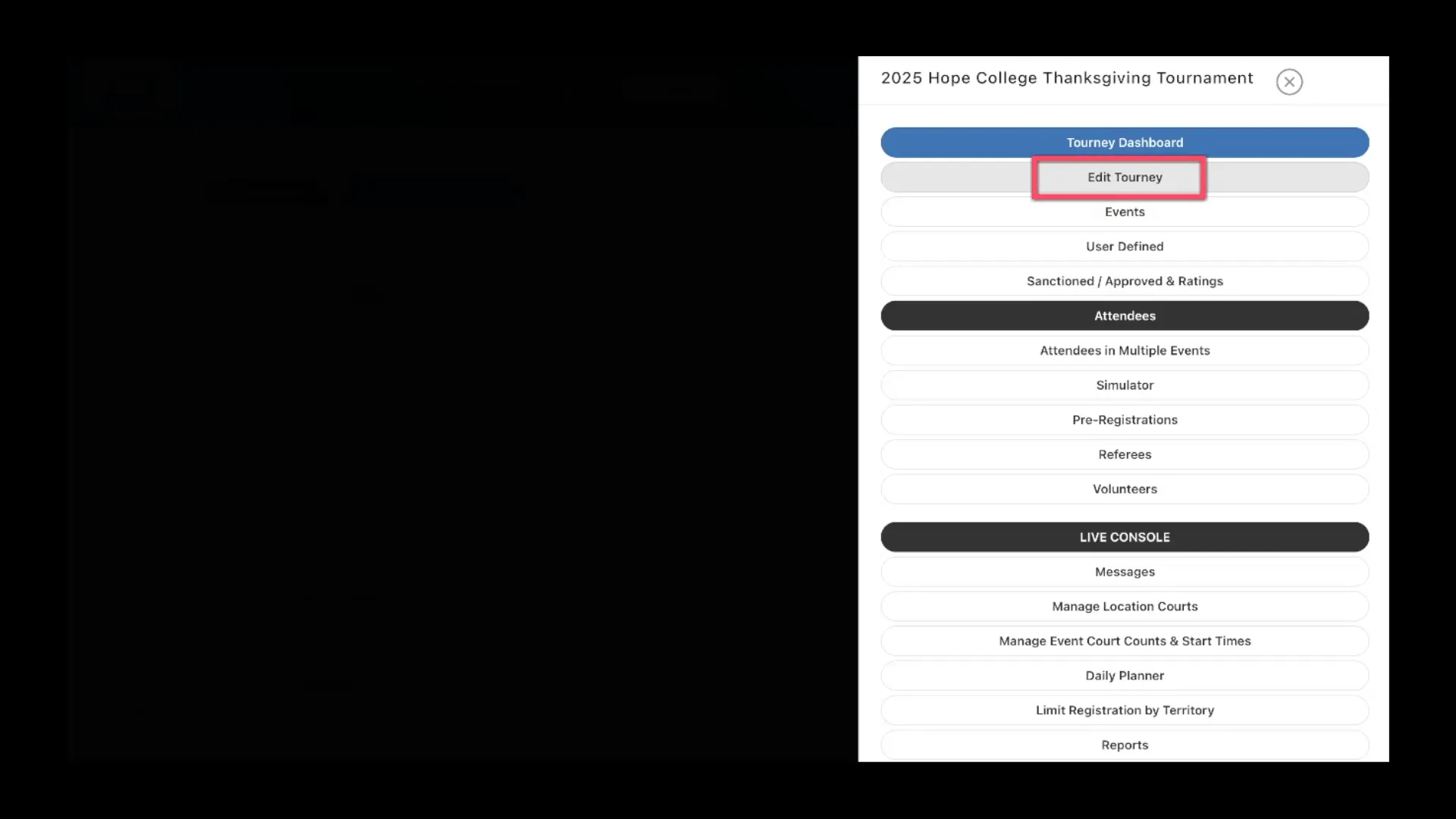
Step 1: Access Your Tournament Settings
Begin by opening your tournament dashboard and navigating to the Edit Tourney section.
This is where you will configure the YouTube broadcast connection.
Step 2: Enter Your YouTube Playlist ID
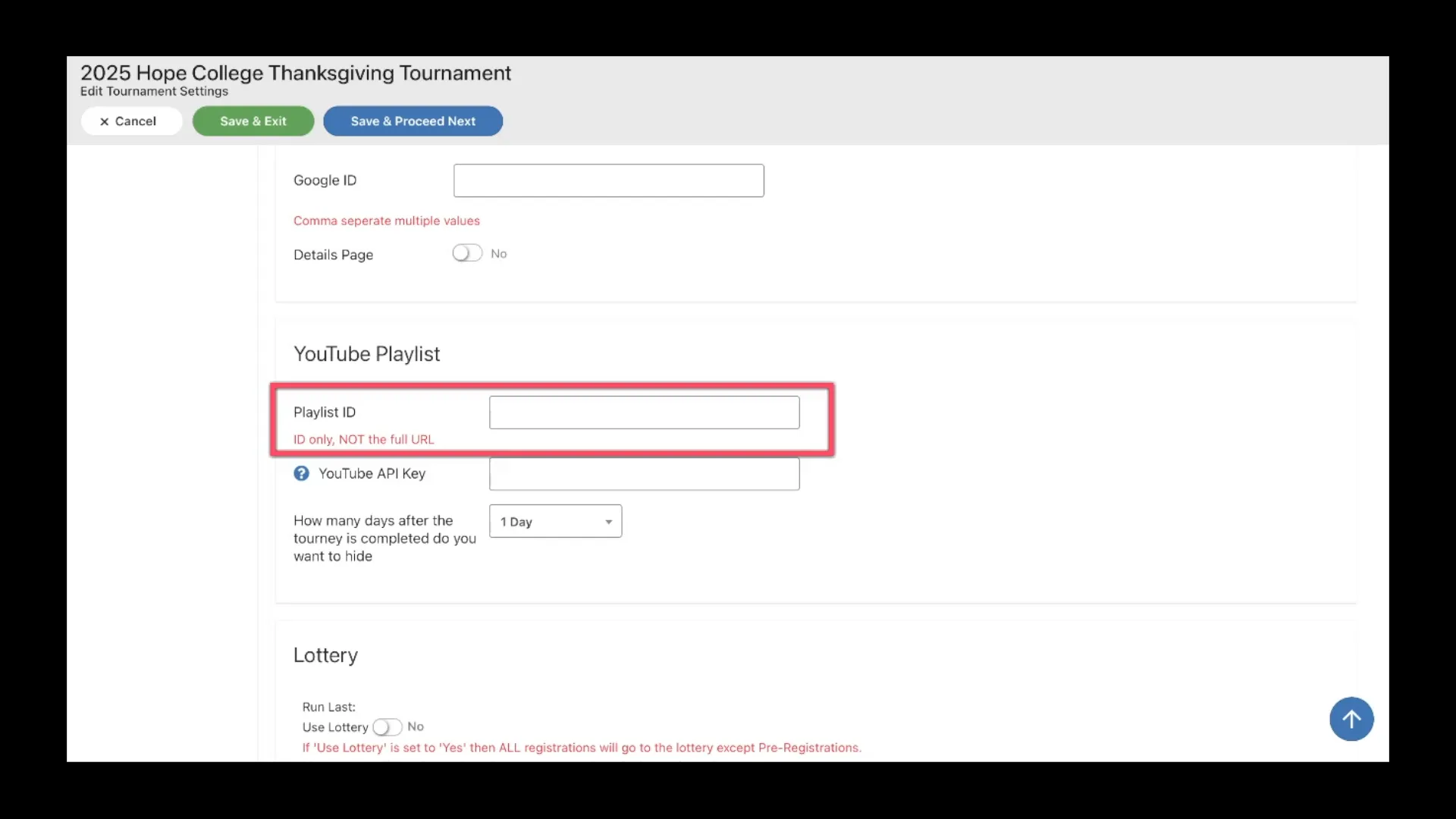
Scroll down until you find the YouTube Playlist section.
Here, you can enter your YouTube Playlist ID.
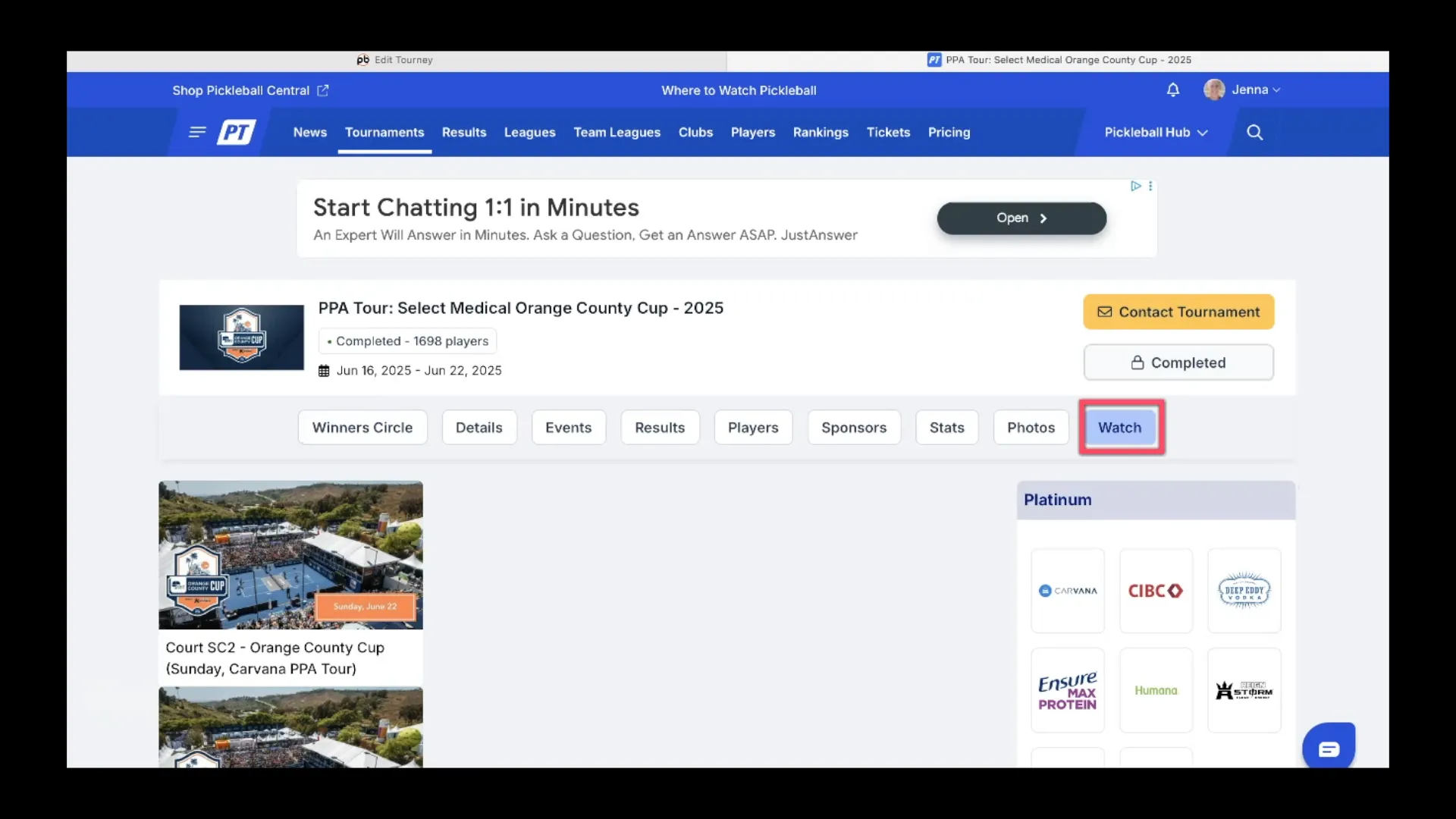
Once added, a Watch button will appear on your tournament homepage. When viewers click this button, they will be directed to your YouTube playlist containing all your livestreams and match videos.
This is the simplest way to provide access to your event broadcasts.
Step 3: (Optional) Add Your YouTube API Key
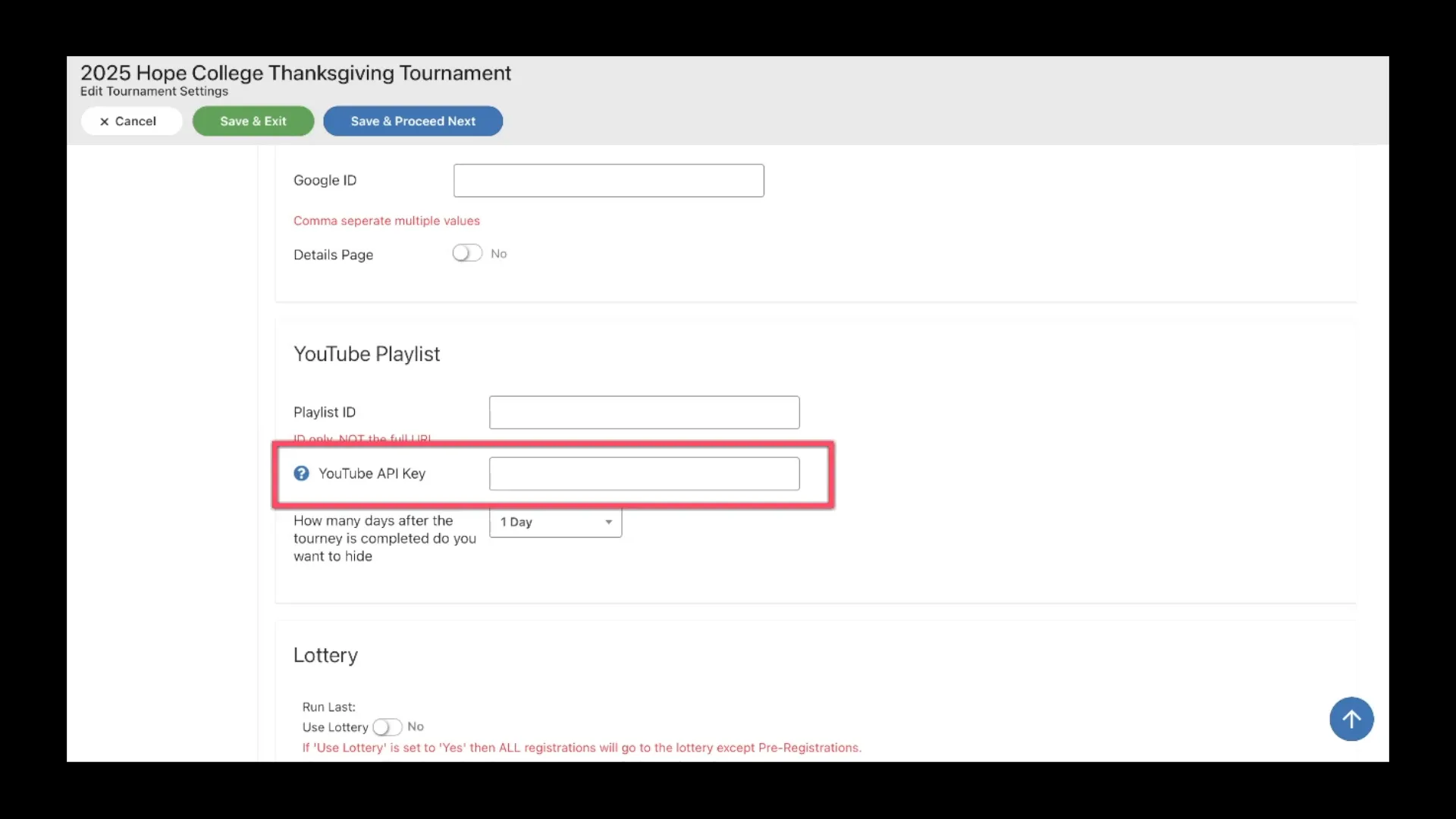
For a more integrated viewing experience, you can connect your YouTube API key.
Adding an API key allows videos to be embedded directly on your tournament website, meaning viewers can watch matches without leaving your page.
This option enhances the experience by displaying:
• Embedded video players
• Match graphics and video links
• A cleaner viewing interface on your tournament site
If you need help setting up the API key, click the question mark icon next to the API field for detailed setup instructions.
Step 4: Manage API Usage
YouTube places limits on API usage. Accounts that exceed 10,000 API requests may incur charges, so it’s important to manage your API activity.
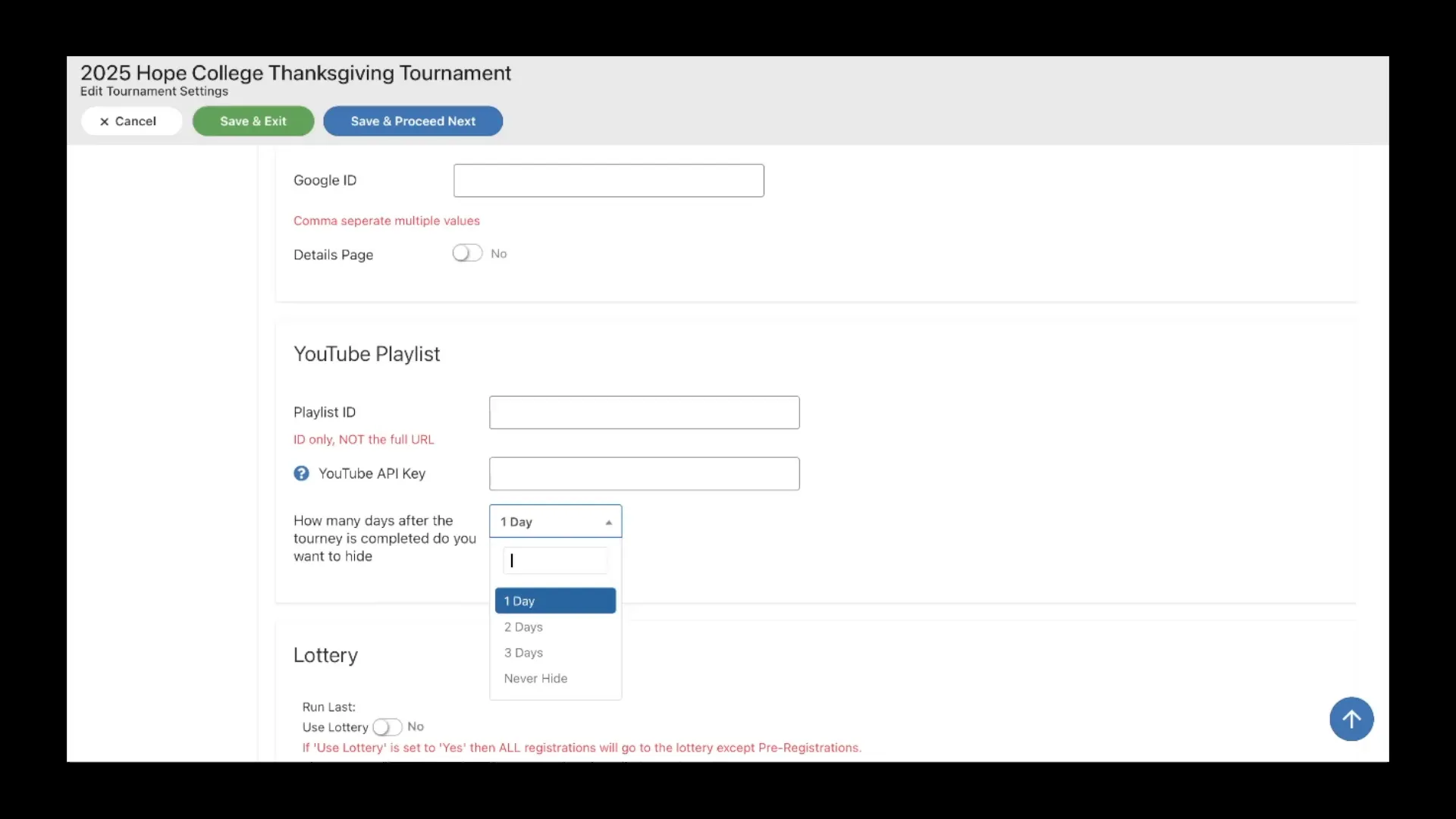
One way to control usage is by adjusting how long the Watch button remains visible after your tournament ends.
This allows organizers to:
• Disable the API connection after the event
• Prevent unnecessary API requests
• Avoid potential usage charges
If desired, you can keep the playlist ID active while removing the API key. This still provides video access but reduces API calls.
What Viewers See on Your Tournament Homepage
Once everything is set up, viewers visiting your tournament page will see a Watch button prominently displayed.
Their experience will depend on your setup.
If You Added an API Key
Clicking the watch button will open a page with embedded videos directly on your tournament site, allowing viewers to watch matches without leaving the page.
If You Only Added the Playlist ID
The watch button will redirect viewers to the YouTube playlist page, where they can browse and watch all livestreams and match recordings.
Both options make it easy for fans to follow the tournament action.
Best Practices for Tournament Livestreams
To get the most value from your livestream setup, consider these tips:
• Create a dedicated playlist for each tournament
• Label videos clearly by court or match number
• Schedule livestreams ahead of time when possible
• Promote the watch link on social media and event pages
These steps make it easier for viewers to find the matches they want to watch.
Final Thoughts
Linking your YouTube broadcast to your tournament homepage is a simple but powerful way to improve accessibility and viewer engagement.
Whether you use just a playlist ID or add a YouTube API key for embedded streaming, your audience will benefit from easier access to both live matches and recorded games.
If you’d like to see the full setup process in action, be sure to watch the training video below, where we walk through the steps and share additional livestreaming tips for tournament directors.
Related articles
.png?width=592&height=237&optimizer=image)
How Beer City Open Built the Volunteer Culture Every TD Dreams Of
Walk into the Beer City Open and something feels different before you ever pick up a paddle. That feeling is the product of years of deliberate work by the Grand Rapids Pickleball Club,
46 days ago
-Jenna Timmer
Two Disputes, Two Outcomes: Getting Players to the Desk When Things Go Sideways
104 days ago
-Jenna Timmer

Team Events Within A Tournament: Live Walkthrough Webinar
116 days ago
-Tyrece Warner

The DUPR Reset Confirmed Something We Already Knew About Getting Better
123 days ago
-Tyrece Warner