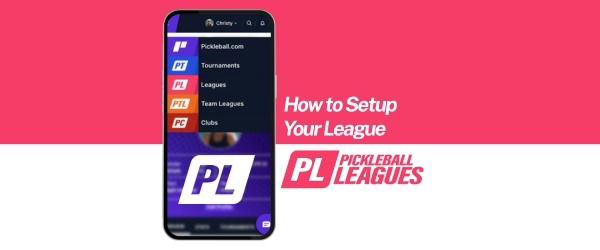
How to Setup a Pickleball League
How Do I Set Up a Pickleball League?
To set up a pickleball league, create a player profile and club on Pickleball.com, then navigate to the Leagues tab to build your league. Choose your format (Scrambler or Partner), configure scoring rules, connect Stripe for payments, and activate registration. Using dedicated league management software automates scheduling, standings, and communication.
What Is a Pickleball League?
A pickleball league is an organized group of players who compete in structured matches over a defined season using standardized formats, scoring systems, and scheduling.
A well-run league typically includes:
-
- A designated format (Scrambler or fixed Partner teams)
-
- A set schedule and rotation system
-
- Centralized score tracking
-
- Registration and payment management
-
- Communication tools for updates
Unlike casual open play, leagues create consistent competition, measurable standings, and stronger player engagement.
For example, a "Monday Night Women’s 3.0 Power League" might run eight weeks, track standings weekly, and rotate partners or teams based on the selected format.
How Does Setting Up a Pickleball League Work?
Setting up a pickleball league requires creating a digital foundation, configuring league details, and activating registration.
Step 1: Create Your Digital Clubhouse
Before inviting players, establish your league infrastructure on Pickleball.com:
-
Create Your Player Profile – Your personal identity on the platform.
-
Create Your Club – The parent organization that hosts and manages your leagues.
Once both are live, log in and navigate to the Leagues tab to select “Create a New League.”
Step 2: Configure the League Details
The setup interface walks you through critical fields that determine how your league operates and how easily players can find it.
Key settings include:
-
Status: Set to Active so it is visible to potential players.
-
League Name: Be specific and searchable (e.g., "Monday Night Women’s 3.0 Power League").
-
Play Type:
-
Scrambler (rotating partners)
-
Partner (fixed teams)
-
-
Score Entry: Allow partners to enter scores to reduce administrative workload and empower players.
Clear configuration ensures your league is professional, searchable, and easy to manage.
Step 3: Set Up Payments and Registration
Payment clarity is critical for maintaining momentum.
You have two primary options:
-
Stripe Integration:
The most professional solution. Once connected, players pay instantly during registration. -
On-Site Payments:
Useful for casual or flexible groups, though harder to track as your league grows.
Pro Tip on Discounts:
Create custom codes like “FOUNDER10” to reward early registrations. Set usage limits to control distribution and protect revenue.
Step 4: Add Sponsors and Managers
Growing leagues often require shared responsibility and community partnerships.
You can:
-
Upload Sponsor Logos and Links:
Clicking a sponsor logo directs players to the sponsor’s website. -
Assign a Primary League Manager:
The primary manager has full control. -
Add Assistant Managers:
Ideal for score verification, communication, and day-to-day tasks.
Delegation ensures long-term sustainability and prevents burnout.
Why Is Setting Up a Pickleball League Important?
Setting up a structured pickleball league builds competitive consistency, strengthens community engagement, and accelerates local sport growth.
Without proper organization, leagues can struggle with:
-
- Scheduling conflicts
-
- Payment confusion
-
- Poor communication
-
- Disengaged players
Using software like PickleballLeagues streamlines operations by centralizing scheduling, standings, and messaging in one system.
For example, automated scheduling prevents double-booking, live standings maintain competitive excitement, and in-app messaging allows instant weather updates or substitute coordination.
Technology removes administrative friction so organizers can focus on player experience.
What Are the Key Benefits of Setting Up a Pickleball League?
Benefit #1: Automated Scheduling
Prevents court conflicts and ensures fair rotation throughout the season.
Benefit #2: Live Standings and Score Tracking
Keeps competition high and players engaged week after week.
Benefit #3: Simplified Communication
Enables instant updates for weather changes, substitutions, and announcements.
Common Questions About Setting Up a Pickleball League
How long does it take to set up a pickleball league?
Most leagues can be configured in under an hour once your Player Profile and Club are created. Additional time may be needed for sponsorship uploads and payment integration.
What tools are needed to start a pickleball league?
At minimum, you need a digital league management platform like Pickleball.com, a defined format (Scrambler or Partner), a scoring structure, and a payment system such as Stripe.
How is a pickleball league different from open play?
A pickleball league follows a structured format with scheduled matches, tracked standings, and defined scoring rules. Open play is typically informal, without standings or season-long tracking.
Should I use Stripe or collect payments in person?
Stripe provides automated tracking, instant confirmation, and professional registration management. In-person payments may work for small groups but become harder to manage at scale.
Key Takeaways
-
Setting up a pickleball league starts with creating a Player Profile and Club on Pickleball.com.
-
Clear configuration of format, scoring, and status ensures visibility and professionalism.
-
Stripe integration simplifies payments and reduces confusion.
-
League management software automates scheduling, standings, and communication.
By following these steps, you are not just organizing matches—you are building a structured, sustainable pickleball community in your city.