Take Advantage of the Referee App: Why You Should Use This NOW!

Take Advantage of the Referee App: Why You Should Use This NOW!

How to Use the Referee App for Pickleball Tournaments

Running a smooth pickleball tournament depends on accurate scoring and efficient match management. The Referee App helps tournament directors and referees streamline scoring, keep matches on schedule, and provide real-time score updates for players and spectators.

Instead of relying on handwritten score sheets or inconsistent verbal scoring, referees can use the app to record points directly from a smartphone or tablet. The scores instantly sync with the tournament system, allowing viewers to follow matches live on the tournament website.

This guide covers the basics of using the Referee App—from downloading the app to scoring live matches.


What the Referee App Does

The Referee App turns a mobile device into a digital scoring system that connects directly to your tournament.

Using the app, referees can see:

• Player names and court positions
• Current score and serving team
• Point-in-progress (PIP) tracking
• Side-outs and side-change prompts
• Automatic match finalization when a game ends

Because the app integrates with the tournament platform, scores appear live on the tournament website, allowing spectators and players to track matches in real time.


Downloading and Logging Into the App

Getting started is simple.

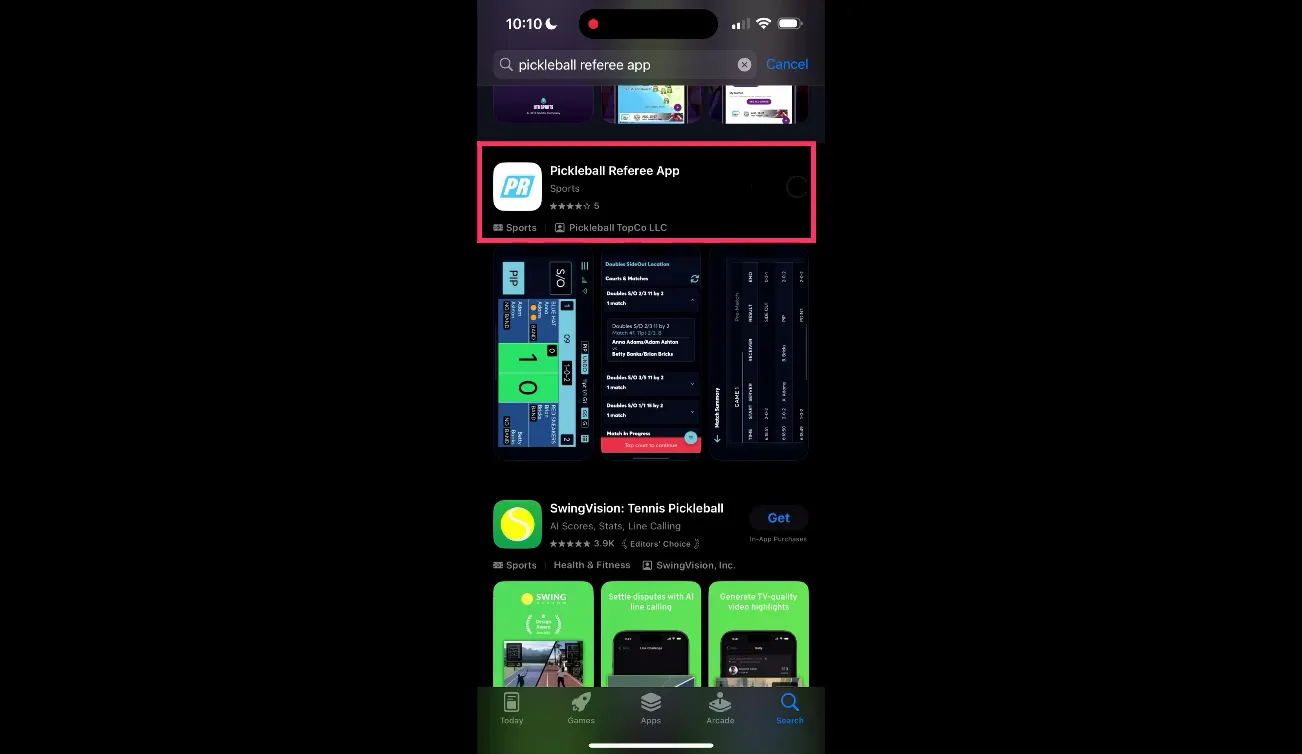
  1. Open the App Store on your smartphone or tablet.

  2. Search for “Pickleball Referee App.”

  3. Download and install the app.

  4. Open the app and log in.

Important: There is no separate referee account. Referees log in using their existing Pickleball.com login credentials.

This keeps account management simple and avoids needing multiple usernames or passwords.

App Store listing for Pickleball Referee App

Tournament Access: Tourney Code and Referee Code

To access the correct tournament inside the app, referees must enter two codes provided by the tournament director.

Tourney Code

The Tourney Code identifies the specific tournament event. It links referees to the correct event and match schedule.

Referee Code

The Referee Code acts as a password for scoring access. This code is created by the tournament director in the Edit Tourney menu.

These codes ensure that:

• Only authorized referees can record scores
• Matches are linked to the correct event
• Unauthorized users cannot enter match data

If the referee code needs to change during the tournament, make sure referees receive the update immediately.


Using Training Mode

Before referees score live matches, the app provides a training mode to practice the scoring workflow.

Training mode allows referees to simulate matches without affecting real tournament data.

To access training mode:

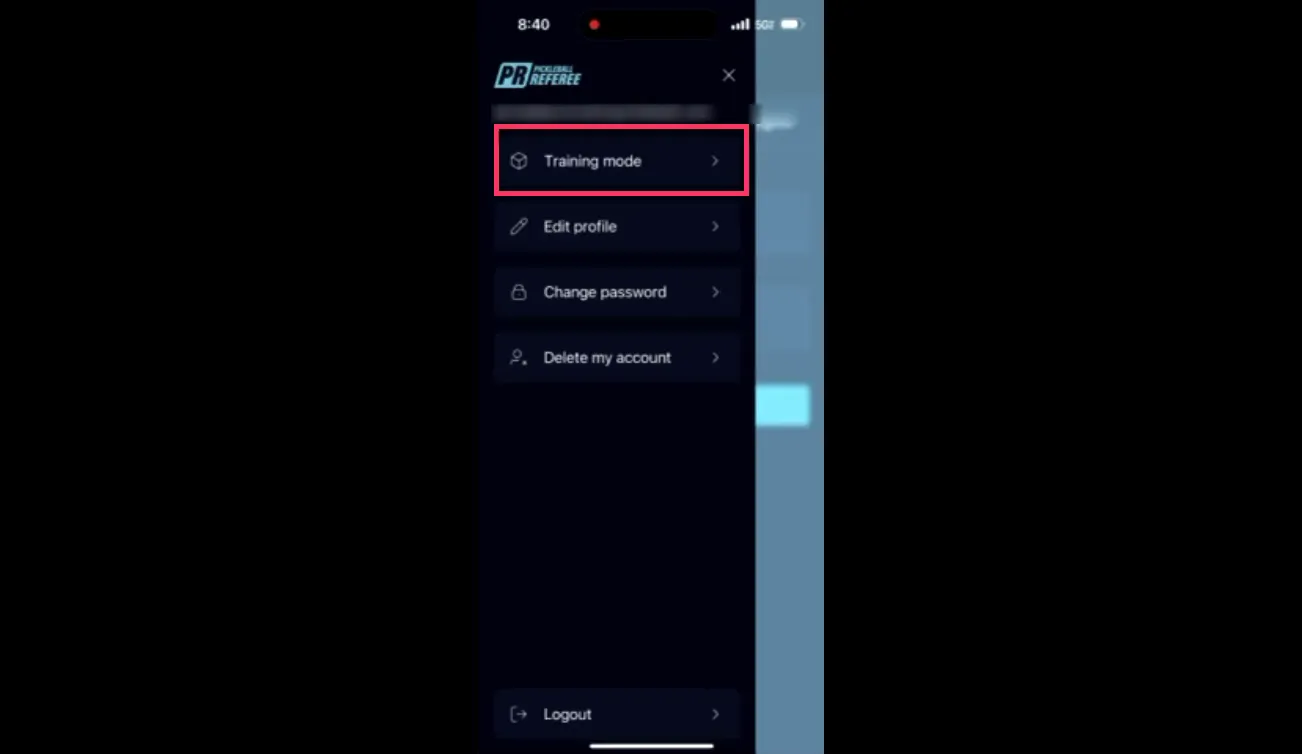
  1. Open the app menu (three-line icon).

  2. Select Training Mode.

  3. Choose a match format and scoring system.

Training scenarios include:

• Singles or doubles matches
• Different match formats (USAP or PPA scoring)
• Various game lengths and win conditions

Training mode helps new referees learn how to record scores, handle side-outs, and respond to prompts before officiating a live match.

Training mode selection and tournament style options

  • Pre-Match Setup

    Before scoring begins, referees complete several setup steps in the app.

    This ensures that player names, serve order, and court positions match the actual match.

    Confirm Player Lineup

    Tap the players’ names as they arrive at the court. The app displays the players in the correct court positions.

    Start Warm-Up

    Press Start to begin the warm-up timer. This confirms the official match start process.

    Record Starting Servers

    Tap the players wearing the serving bands to indicate the first server.

    Correct serve order is critical to avoid disputes later in the match.

    Record the Coin Toss

    Enter:

    • The coin toss winner
    • Their decision (serve, receive, defer, or side)
    • The opposing team’s court selection

    Once complete, confirm the match summary and start live scoring.


    Live Scoring Workflow

    During the match, referees use several core features to record points accurately.

    Point in Progress (PIP)

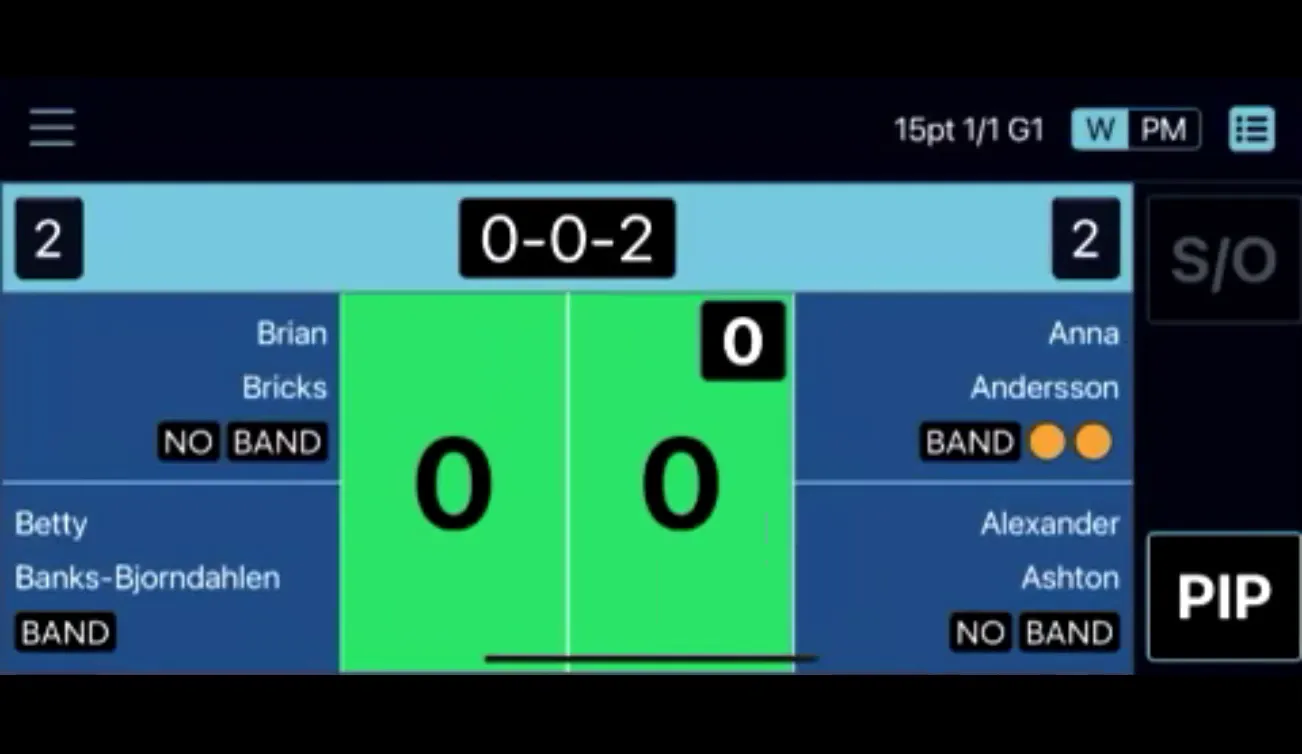
    Before announcing the score, tap PIP (Point in Progress).

    This marks that a point is about to begin and ensures interruptions or challenges are logged correctly.

    Recording a Point

    If the serving team wins the rally:

    • Tap the serving team’s green kitchen area on the screen.

    The score automatically increases and updates live for viewers.

    Side Outs

    If the receiving team wins the rally:

    • Tap SO (Side Out).

    The app automatically switches the serve to the opposing team.

    Side Changes

    At the midpoint of certain matches, the app will prompt referees to switch sides.

    Follow the onscreen instructions and confirm the new court orientation.

    Finalizing the Match

    When the match reaches its final score, the app will prompt referees to confirm the result.

    Once finalized, the score is immediately submitted to the tournament system.


Live scoring screen showing player placement and PIP indicator

Best Practices for Referees

To ensure accurate scoring and smooth matches, referees should follow these guidelines.

• Always select PIP before announcing the score.
• Double-check player positions before starting the match.
• Confirm serve order carefully at the beginning of the match.
• Save progress after administrative actions.
• Follow all prompts related to side changes and match completion.

These habits reduce scoring errors and maintain a clear record of each match.


Why the Referee App Improves Tournaments

Using the Referee App provides several benefits for tournament organizers.

More Accurate Scoring

Digital scoring removes common mistakes associated with handwritten score sheets.

Faster Tournament Flow

Referees can record scores instantly without pausing to write or confirm results.

Live Score Visibility

Players and spectators can follow match progress directly on the tournament website.

Better Event Transparency

Real-time scoring ensures everyone sees the same official results.


Final Thoughts

The Referee App helps modernize tournament operations by combining accurate scoring, live match updates, and streamlined referee workflows.

For tournament directors, investing time in referee training and setup can dramatically improve event efficiency and reduce disputes.

Referees benefit from a simple interface that mirrors their natural scoring workflow, while players and spectators enjoy a professional live-scoring experience.


Want a Visual Walkthrough?

For a complete step-by-step demonstration—including downloading the app, setting up matches, and scoring live games—watch the full video tutorial. It walks through each screen in real time and shows additional scoring scenarios to help your referee team get comfortable with the system.